
Yes, you can change your username on TikTok. The platform allows all registered users to update both their account handle and display name directly through the mobile application or a desktop web browser. The entire process takes less than two minutes to complete, giving you immediate freedom to rebrand your account or fix an outdated handle.
However, before modifying your credentials, you must account for TikTok’s strict 30-day cooldown policy. Once you finalize a new handle, the platform locks the option, meaning you cannot revert to your previous tag or fix a typo until the month-long period elapses. Understanding the step-by-step procedure and platform rules guarantees a smooth transition without losing your audience or profile integrity.
TikTok Username vs. Display Name: What is the Difference?
Many creators confuse a TikTok display name with an actual TikTok username, yet they serve entirely distinct technical purposes. Your display name represents the customizable title showcased prominently at the very top of your profile page. It is the label users see when your videos pop up on their “For You” page (FYP).
Your username, conversely, is your unique digital identifier preceded by the “@” symbol. This handle determines your permanent TikTok web address (URL) and is the specific tag people use to mention you in video captions, direct messages, and comment threads. While millions of accounts can share the exact same display name, no two users can hold the same username.
Key Differences at a Glance
Distinguishing between these two fields saves you from accidentally changing the wrong credential. The comparative breakdown below outlines how each identifier operates on the network:
- Account Handle (@username): Completely unique across the entire global database; limited to letters, numbers, periods, and underscores; maximum of 24 characters; alters your official profile web link (tiktok.com/@yourname); subject to a strict 30-day modification cooldown.
- Display Name (Nickname): Non-unique (multiple creators can share the same display text); allows spaces, special characters, and emojis; maximum of 30 characters; has no effect on your profile URL; can be updated once every 7 days.
Knowing which name you need to alter ensures you apply updates accurately. If your goal is to update your official identity or claim a distinct tag, you will need to modify your primary handle using the instructions below.
How to Change Your TikTok Username on Mobile (iOS & Android)
The vast majority of content creators interact with the platform using mobile devices. Fortunately, the mobile interface offers the fastest route to manage account settings whether you are on an iPhone, iPad, or Android smartphone.
Before proceeding, verify that your TikTok application is updated to the latest version via the Apple App Store or Google Play Store. Outdated builds may encounter synchronization delays or unexpected interface glitches during profile saves.
Step-by-Step Mobile Instructions
- Launch the TikTok app on your mobile device and log in to your account.
- Tap the Profile icon located in the bottom-right corner of the screen.
- Select the Edit profile button positioned directly beneath your follower counts.
- Locate the Username field and tap on your existing handle.
- Delete the current text, type in your desired new username, and wait for the platform to verify availability.
- Tap the red Save button in the top-right corner, then select Set username on the confirmation pop-up prompt.
Once confirmed, your updated handle takes effect across the platform instantaneously. Your followers will immediately see the new handle on your posts and video comments.
Understanding the Green Checkmark vs. Error Alert
As you type your desired handle into the mobile input field, TikTok actively queries its servers in real time. If the handle meets formatting guidelines and is completely unclaimed, a green checkmark will appear on the right side of the text box. This visual indicator confirms you are clear to tap save.
If the handle is unavailable or invalid, the interface displays a red error notice beneath the text box. Common warnings include “This username isn’t available” or notifications indicating the handle contains restricted characters. You must alter the text until the green checkmark renders, as the system disables the save button while errors persist.
How to Change Your TikTok Username on a Computer (Web Browser)
If you prefer editing channel assets on a desktop workstation, TikTok allows handle updates through its web browser portal. This method works identically across Google Chrome, Apple Safari, Mozilla Firefox, and Microsoft Edge on both Windows and macOS systems.
Managing profile details on a desktop computer provides a convenient alternative for brands and social media managers who manage creative assets and brand style guides from their office computers.

Navigating TikTok Web Settings
- Open your desktop web browser, visit tiktok.com, and sign in to your profile.
- Hover your mouse cursor over your circular avatar icon in the top-right corner of the browser window.
- Click on View profile from the drop-down menu that appears.
- Click the gray Edit profile button located beside your current username.
- Scroll down to the Username input box and type in your replacement handle.
- Review the live confirmation notice and click Save to confirm the update.
After clicking save, your desktop browser refreshes your dashboard. Any bookmarks or saved browser tabs pointing to your old profile URL will need to be updated to reflect your new link.
TikTok Username Rules and Guidelines You Must Follow
TikTok enforces strict syntax formatting rules and legal guidelines to maintain platform organization and protect user communities. You cannot simply input any phrase you desire; your proposed handle must strictly align with technical limits and safety policies.
Failing to abide by these parameters results in rejected submissions or, in extreme cases, administrative account strikes if the chosen tag violates platform community rules.
Character Limitations, Symbols, and Formats
The technical architecture of TikTok’s profile URLs requires explicit formatting structures. Adhering to these parameters ensures your handle resolves properly within web browsers and mobile application routing:
- Character Cap: Your username can contain up to 24 characters in total length.
- Accepted Characters: You may only use lowercase letters, numbers, underscores (_), and periods (.).
- Prohibited Characters: Spaces, hyphens (-), symbols (!, @, #, $, %), and emojis are strictly forbidden.
- Period Positioning Rules: You cannot place a period at the very end of your handle, nor can you use consecutive periods in a row (e.g., “user..name” is prohibited).
Community Guidelines and Prohibited Words
Beyond structural limitations, your handle must comply fully with TikTok’s published Community Guidelines. TikTok utilizes automated content filters that block terms associated with hate speech, explicit content, violence, and illicit substances.
Additionally, handles that impersonate other creators, celebrities, or corporate brands without parody disclaimers are subject to immediate removal. Registering a handle that infringes upon registered trademarks can also trigger intellectual property disputes, which may result in your account losing the tag or facing permanent suspension.

The 30-Day Username Rule Explained
When asking “can I change my username on TikTok?”, the most vital caveat to remember is the 30-day frequency rule. TikTok permits users to update their username only once every 30 days. This limitation is embedded into the core database architecture to deter spam behavior, prevent identity confusion, and limit black-market username reselling.
The restriction means that if you make a spelling error, pick a handle you quickly grow tired of, or accidentally hit save too soon, customer support will not manually override the restriction for you. You are required to wait out the entire 30-day countdown before the system unlocks the edit screen once again. Always review your spelling carefully before confirming your choice.
Can You Bypass or Skip the 30-Day Waiting Period?
A widespread rumor on social media suggests that you can bypass the 30-day cooldown by changing the date and time settings on your smartphone. This method does not work. When asking “can I change my username on TikTok before 30 days?”, it helps to understand that TikTok operates on centralized, server-side architecture.
Every time you modify your handle, TikTok logs an immutable timestamp on its secure cloud servers. Your local device clock has zero impact on the platform’s internal database records. Altering your phone’s calendar will only disrupt your local device apps and calendar alerts.
You should also avoid third-party websites or modded APKs promising to bypass the 30-day lock. These modified applications frequently contain spyware, compromise your personal credentials, and can lead to an instant, permanent account ban under TikTok’s strict security protocols.
How to Check When You Can Change It Again
If you are unsure how much time remains on your waiting period, TikTok provides an exact unlock date directly within the mobile application. You do not need to guess or calculate elapsed days manually.
- Open TikTok and navigate to your Profile tab.
- Tap the Edit Profile button underneath your bio.
- Select the Username field.
If the 30-day window is active, the text field appears grayed out and unclickable. Directly below the input box, a system notice states: “You can change your username after [Month Day, Year].” Mark this specific date on your calendar so you can execute your profile update the moment the restriction clears.
What Happens After You Change Your TikTok Username?
Switching your handle affects far more than the text displayed at the top of your screen. Because your username serves as your unique digital fingerprint across the platform, modifying it initiates several technical changes across external web links and internal user interactions.
Understanding these ripple effects before confirming your decision prevents broken connections, lost traffic, and unnecessary brand confusion among your current audience.
Changes to Your Profile URL and Direct Links
Your public web address is tied directly to your handle using the format tiktok.com/@yourusername. The moment you save a new handle, your previous profile address ceases to exist on TikTok’s web servers.
TikTok does not automatically create web redirects from old handles to new ones. Anyone clicking a bookmarked link, an old tweet, or a saved pin pointing to your previous URL will land on a blank “Page not found” 404 error screen.
If you feature your TikTok link on external aggregator platforms—such as Linktree, Beacons, an Instagram bio, a YouTube channel banner, or a business website—you must manually update those external links immediately to avoid losing potential followers.
Impact on Verified Badges and Creator Features
If your account carries a verified blue checkmark, you must proceed with extreme caution. Changing your handle on a verified profile often triggers an automated security review or leads to the immediate removal of your verification badge.
TikTok grants verification status to a specific, authenticated identity. Modifying the handle makes the platform treat the account as potentially compromised or transferred. In most instances, verified public figures and brands must contact TikTok Creator Support prior to updating their handle to avoid forfeiture of their badge.
For standard creators enrolled in monetization programs like the Creator Rewards Program or TikTok Shop for Creators, your payout data remains connected to your internal Account ID. However, ensure your tax documentation and payout names still align with profile records to prevent processing pauses.
Mentions, Tags, and Video Duets
Your existing video uploads, uploaded sounds, and published captions will remain completely intact on your profile grid. The underlying database recognizes your account by a static internal numerical ID, ensuring your engagement metrics, view counts, and follower totals transfer over seamlessly.
However, past comment sections where other creators tagged your @oldhandle will not automatically update to your new handle. Tapping on those legacy tags in older comment sections will either lead to an inactive profile or route to whichever user registers that abandoned handle in the future.
Existing Duets, Stitches, and shared videos featuring your original clips will still route viewers back to your current account. The app dynamically links credit tags on derivative media through your backend ID rather than static text.
Troubleshooting: Why Can’t I Change My TikTok Username?
Even when following standard steps, you might encounter technical roadblocks or error prompts. Knowing the technical reasons behind these system messages helps you resolve the issue quickly.
Here is an examination of the most common username error codes and the concrete actions required to resolve them.
“This username isn’t available”
This message appears when another active or inactive account has already claimed the exact handle you typed. Handles are globally exclusive; two profiles cannot share the identical character sequence simultaneously.
Even if an account holding your target handle shows zero videos, no profile photo, and zero followers, TikTok will not free up the name upon request. Inactive accounts retain their reserved handles indefinitely unless they violate trademark protections.
To overcome this issue, modify your target handle with subtle variations. Incorporate allowed underscores, periods, or short qualifiers such as “the,” “official,” or your location abbreviation to secure a closely matched alternative.
“You can change your username after [Date]”
This message signifies that your account is locked under the mandatory 30-day waiting threshold. The system will reject any inputs until the stated calendar date arrives.
Instead of repeatedly trying to save changes, take advantage of the waiting period to prepare your upcoming rebrand. Reserve the matching handles across other social channels like Instagram, Twitch, and X (formerly Twitter) to secure cross-platform consistency.
Additionally, use this interim window to design matching profile avatars and updated banner artwork so your visual presentation is ready when the lockout expires.
App Glitches and Cache Problems
Occasionally, an unexplainable saving failure stems from corrupted temporary cache files stored locally inside the TikTok mobile application. This can cause the app to display a perpetual loading wheel or an ambiguous “Network error” dialog.
To refresh your local cache and resolve interface stalls, follow these diagnostic steps:
- Go to your TikTok Profile, tap the three-line menu, and select Settings and Privacy.
- Scroll to the Cache & Cellular section and tap Free up space.
- Tap Clear next to the Cache option.
- Close the application entirely, verify your device has an active Wi-Fi or LTE connection, and relaunch the app.
If clearing your local cache does not resolve the issue, verify via the Apple App Store or Google Play Store that your application is running the newest software patch.
Account Bans and Shadow Restrictions
If an account has accumulated recent Community Guidelines violations, administrative restrictions may temporarily freeze profile editing capabilities. TikTok occasionally places accounts under read-only or restricted modes to curb coordinated spam attacks or unauthorized takeovers.
Brand new accounts created within the past 24 to 48 hours might also encounter brief editing restrictions while backend automated fraud filters verify standard registration metrics. If you suspect an administrative restriction, review your account status inside your system notifications under the “Account Updates” tab.
100+ Creative and Aesthetic TikTok Username Ideas
Selecting the right handle is a fundamental step when you ask “can I change my username on TikTok?” to improve your online brand. Below is a curated catalog of unique username concepts divided by aesthetic themes, along with origin meanings and creative formulas.
Availability Tip: If an exact term below is already claimed, apply structural formulas: add your initials, prefix with its. or iam, or insert an allowed period (e.g., velvet.haze or lunar_drift).
Minimalist & Clean Usernames
- purelynocturnal – Inspired by night owls, representing quiet evening creativity.
- bareneutral – Minimalist aesthetic focused on earthy, calming simplicity.
- solocrest – Derived from Latin solus (alone), signifying singular peak performance.
- claritygrain – Photography-inspired handle merging crisp focus with film grain.
- monolith_x – Ancient Greek monolithos, symbolizing singular, unbreakable strength.
- paleverve – Combines muted visual tones with boundless artistic energy.
- vaguelyhumble – Understated, self-aware moniker for relaxed lifestyle vlogging.
- neatlinear – Clean, geometric design term reflecting order and precision.
- plainlysaid – Literary origin, celebrating direct communication and candid thoughts.
- silentslate – Metaphor for a fresh chalkboard, denoting starting anew.
- zenithblank – Astronomy term for the highest sky point, left intentionally open.
- rawcanvas – Art-studio roots, celebrating unfinished creative potential.
- softcontour – Graphic design origin, honoring subtle curves and natural lines.
- hushsimple – Minimalist lifestyle handle reflecting peaceful, unhurried living.
- crispmeridian – Geographic origin indicating midday sun and sharp clarity.
- bleachedstone – Nature-inspired, representing weathered durability and light palettes.
- primecipher – Mathematical handle referencing unbreakable, foundational codes.
- tonalquiet – Audio and visual term representing harmonious, soft tones.
- formbasic – Bauhaus design principle prioritizing utility over decoration.
- truemuted – Color grading term for desaturated, modern, elegant palettes.
- neatlybound – Bookbinding heritage, symbolizing organized, treasured collections.
- calmlatitude – Navigational origin, indicating a peaceful geographical space.
- starkelement – Modern architectural term celebrating bare structural materials.
- sleekvector – Geometry roots, representing sharp direction and speed.
- subtleprism – Optical physics term for gentle, hidden rainbow refractions.
Aesthetic & Dreamy Usernames
- auroraglide – Roman dawn goddess Aurora combined with fluid motion.
- velvethaze – Sensory handle blending rich fabric textures with soft morning mist.
- petalwhisper – Botanical origin, evoking soft nature sounds and spring growth.
- lunarpoet – Latin luna (moon), honoring late-night reflective writing.
- cloudmirage – Optical illusion moniker referencing expansive summer skies.
- starlingecho – Avian origin, honoring the lyrical flocking bird of twilight.
- opalbreeze – Sanskrit upala (gemstone), denoting iridescent, airy energy.
- twilightmeadow – Old English pastoral roots, capturing golden-hour countryside peace.
- cosmicplume – Astronomy term for luminous interstellar gas clouds.
- solsticemuse – Latin solstitium, celebrating celestial transitions and inspiration.
- hazymoondust – Space aesthetic handle denoting soft celestial particles.
- glimmerbrook – Middle English water term, referencing sparkling streams.
- faunafable – Latin animal kingdom reference blended with whimsical storytelling.
- rosequartzdream – Gemology origin, tied to unconditional love and gentle healing.
- ambernebula – Arabic anbar merged with Latin for interstellar space clouds.
- mistymariposa – Spanish for butterfly, signifying delicate transformation in fog.
- seraphicglow – Hebrew seraphim, describing radiant, angelic illumination.
- lavenderlull – Botanical and musical blend denoting soothing calm.
- pastelsorbet – Culinary and artistic blend capturing sweet, soft summer colors.
- celestialdrift – Latin caelum (heavens), describing slow, peaceful floating.
- haloraindrop – Greek light ring combined with soothing atmospheric rain.
- porcelaindusk – Italian ceramic heritage capturing fragile, pale evening light.
- cottonsolitude – Soft textural roots celebrating the peace of being alone.
- willowembers – English botanical origin blending gentle trees with warm sparks.
- zephyrmirror – Greek god of the west wind, reflecting tranquil beauty.
Y2K & Retro Nostalgia Usernames
- pixelarcade – 1980s gaming heritage celebrating early 8-bit entertainment.
- vcrrewind – 1990s home-video nostalgia capturing analog magnetic tape media.
- dialuptempo – Early internet era reference to acoustic modem connectivity.
- glitchmatrix – Cyberpunk origin celebrating early digital errors and cinema.
- technodragon – 1990s rave-culture and electronic dance music inspiration.
- cassettefizz – Analog audio culture celebrating magnetic tape recordings.
- polaroidburn – Instant-photography heritage marking light leaks and chemical film.
- discmanvibe – Turn-of-the-century portable CD technology aesthetic.
- neoncathode – Mid-century illumination technology, evoking vibrant storefront glow.
- analogcrush – Retro electronic moniker celebrating vintage hardware over digital code.
- retrograde88 – Astronomy and pop-culture mashup celebrating late-80s aesthetics.
- skatercircuit – 1990s street culture fused with early personal computer boards.
- synthwavepilot – 1980s electronic music genre celebrating neon night drives.
- dialtonesoul – Telecommunication history celebrating landline telephone tones.
- tamagotchikid – Japanese digital pet phenomenon popular in late-1990s youth culture.
- hologramchic – Y2K fashion wave celebrating futuristic, shiny materials.
- floppyjunkie – Early computing tribute to magnetic 3.5-inch data storage.
- arcadeflicker – The visual hum of vintage CRT gaming cabinet monitors.
- vaporchime – Musical homage to the surreal, nostalgic vaporwave music genre.
- radicallicorice – 1990s youth slang paired with vintage sweetshop culture.
- staticreverie – Visual static from cathode-ray televisions mixed with waking dreams.
- beeperpulse – 1990s wireless pager technology tribute, signaling incoming updates.
- vintagebitrate – Low-fidelity audio engineering aesthetic from the MP3 boom.
- chunkywalkman – Portable tape-player era celebrating analog listening on foot.
- rollerdisco99 – Nostalgic leisure sport celebrating vibrant retro rink culture.
Gaming & Creator Usernames
- tacticalrespawn – Combat video gaming term for strategic battlefield re-entry.
- questforged – Fantasy RPG roots, symbolizing identity shaped through challenges.
- critdamage – Tabletop and role-playing mechanic celebrating high-impact hits.
- shadowrogue_x – Classic fantasy stealth class centered on agility and surprise.
- apexstrike – Latin apex (peak), describing top-tier competitive play.
- pixelpaladin – Ancient French chivalric protector reimagined in digital pixels.
- manaoverload – Magic-based strategy gaming term for abundant casting resources.
- hitboxhero – Game physics programming term describing exact collision zones.
- dungeonlooter – Old-school RPG tribute to exploring subterranean treasure vaults.
- stealthphantom – High-covert tactical gamer archetype moving without detection.
- levelcapking – MMO gaming slang indicating achievement of maximum tier power.
- coopcrusader – Multiplayer cooperative gamer celebrating team camaraderie.
- buffedvalkyrie – Norse mythological warrior granted enhanced digital strength.
- lootdropdaily – Game reward loop term capturing excitement of surprise items.
- ironcladclutch – Esports terminology for winning tense rounds under pressure.
- runemaster_v – Ancient Germanic runic alphabet combined with arcane mastery.
- bossroomrush – High-stakes action gaming maneuver confronting stage guardians.
- vortexsniper – Fluid dynamics term combined with precise marksmanship.
- potionbrewer – Medieval alchemy roots celebrating supportive survival crafting.
- arcanevelocity – Mystic spellcasting energy merged with rapid competitive speed.
- parrylegend – Fencing and action combat mechanic for perfect counter-timing.
- grindstonepro – Gaming devotion slang honoring continuous skill development.
- skyboundgamer – Aviation-themed video game moniker for aerial combat players.
- netherwanderer – Fantasy underworld explorer exploring dangerous digital realms.
- finalcheckpoint – Narrative game design mechanic marking safety before victory.
Edgy & Bold Usernames
- havocprotocol – Anglo-Norman military command indicating complete disruptions.
- vandalverse – Latin Vandali, celebrating boundary-breaking street art.
- phantomreign – Greek phantasma, signifying an unseen yet powerful presence.
- venomoutlaw – Old French toxin combined with rebellious frontier independence.
- ironrebellion – Industrial metal roots denoting relentless, unbreakable resistance.
- cinderstrike – Old English coal residue representing dormant flames reigniting.
- duskomen – Latin omen, warning of significant transitions at nightfall.
- grimcatalyst – Chemistry and Gothic literature mashup initiating dark changes.
- sabotagestyle – French industrial resistance roots celebrating disruptive fashion.
- feralfrequency – Latin fera (wild beast), describing untamed sonic waves.
- obsidianscar – Volcanic glass mineral symbolizing hardened, dark resilience.
- rebelvoltage – High electrical energy symbolizing defiance against convention.
- acidmonarch – Chemical sharpness paired with sovereign power and rule.
- wickedorbit – Old English mystical term applied to deep cosmic travel.
- blitzvortex – German Blitz (lightning), representing rapid, chaotic pull.
Aesthetic & Minimalist Usernames
Aesthetic handles rely on understated language, tranquil imagery, and clean styling. They work exceptionally well for lifestyle vloggers, digital artists, and creators who cultivate a cozy, muted presence on the feed.
- velvetmoss – Middle English velwet combined with soft bryophyte greenery, capturing damp woodland stillness.
- solarlace – Latin solaris (sun) paired with delicate patterned fabric, evoking dappled afternoon shadows.
- lunarpetal – Latin lunaris (moon) joined with botanical blossom leaves, signifying night-blooming botanicals.
- quietlinen – Latin quietus (calm) and natural flax textile, reflecting simple home comforts.
- foggymilk – Danish atmospheric haze blended with rich dairy warmth, symbolizing cozy morning beverages.
- softember – Old English glowing coal remnants, describing faint warmth that lingers long after sundown.
- honeycedar – Greek meli (sweet nectar) paired with fragrant evergreen timber, representing earthy indulgence.
- paleceramic – Latin pallidus (light-toned) and Greek clay craftsmanship, capturing artisan pottery design.
- driftwillow – Old Norse floating movement combined with graceful weeping tree branches, signaling flowing calm.
- frostmeadow – Old English ice crystals settling over open grassland, creating crisp winter imagery.
- hazyhazel – Old English atmospheric obscurity mixed with warm nut-tree pigmentation, perfect for neutral aesthetics.
- silverbirch – Shiny metallic white bark characteristic of northern European deciduous trees.
- dewdropvibe – Morning condensation droplets reflecting dawn rays, suggesting daily renewal and simplicity.
- cloudcanvas – Middle English sky vapor paired with artist textile, symbolizing limitless imaginative space.
- amberlinen – Fossilized golden tree resin meets lightweight, breathable summertime weave.
- ivorycreek – Latin ebur (smooth tusk white) joined with gently babbling river streams.
- subtledusk – Latin subtilis (refined, soft) combined with evening twilight transitions.
- cozymirage – Middle English comfortable warmth paired with French optical illusions in desert air.
- sagepebble – Latin salvia (healing herb) matched with smooth water-worn river stones.
- purelagoon – Latin purus (unblemished) combined with serene, shallow coastal waters.
- tenderbranch – French tendre (gentle) joined with budding seasonal flora, embodying peaceful growth.
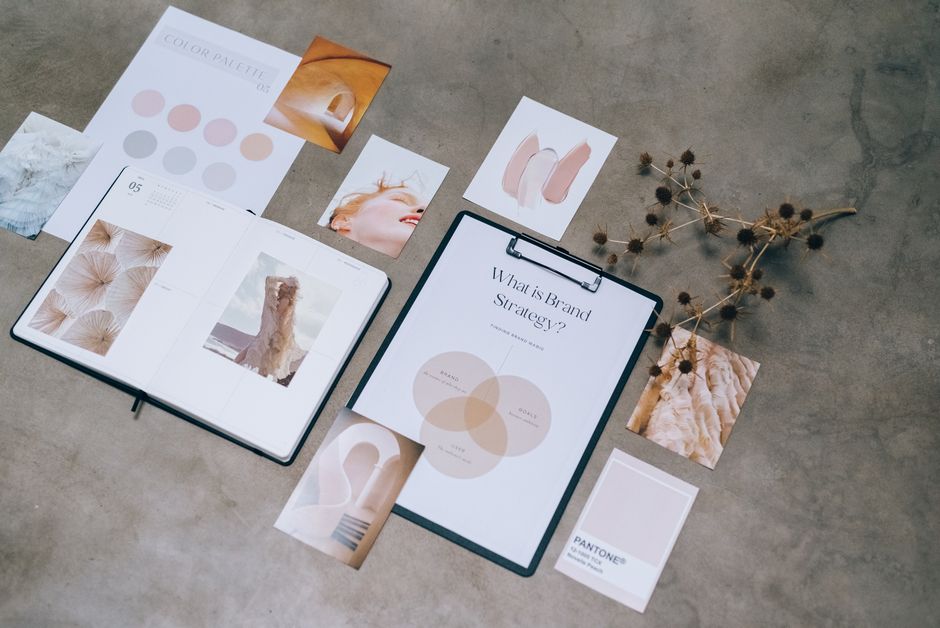
Pairing natural textures with understated adjectives makes your handle feel welcoming while keeping your profile visually effortless.
Niche-Specific Handles (Gaming, Fitness, BookTok, & Beauty)
Aligning your handle with your content niche helps new viewers instantly understand what your videos offer. These category-focused concepts span the most popular subcultures across the entire app.
- respawnrebel – Video game regeneration mechanic blended with anti-establishment independent attitude.
- pixelstride – Digital graphic elements merged with rapid tactical movement across virtual maps.
- critdamage – Tabletop and RPG combat formula for landing devastating maximum strikes.
- potionpouch – Medieval fantasy inventory item dedicated to carrying vital healing concoctions.
- lagswitchpro – Retro networking terminology turned tongue-in-cheek gamer competitive persona.
- joystickquest – Classic arcade hardware controller coupled with grand mythic adventure journeys.
- glitchhunter – Software engineering defect term adopted by speedrunners breaking level boundaries.
- stealthcrouch – Tactical stealth action gaming posture used to slip past enemy sentries undetected.
- ironrepsdaily – Strength training weightlifting culture combined with daily discipline and work ethic.
- cardiocore – Greek kardia (heart) linked with midsection foundational fitness training.
- pulselifter – Cardiovascular rate measurement combined with heavy barbell resistance movements.
- barbellbloom – Heavy steel gym equipment paired with physical adaptation and wellness growth.
- flexformlab – Anatomical muscle activation paired with biomechanically correct exercise technique.
- calorierush – Latin metric heat unit merged with dynamic, fast-paced athletic performance.
- chalkandchain – Powerlifting grip magnesium mineral combined with progressive overload resistance gear.
- tempoathletic – Italian timing cadence indicating strictly controlled lifting repetitions and pacing.
- spineandpage – Bookbinding structural spine mixed with paper leaves of literary fiction.
- chapterchaser – Novel reading habit of bingeing installment endings late into the night.
- proseandpetals – Latin straightforward writing style matched with romantic floral imagery.
- gothicquill – Medieval architectural style coupled with historical bird-feather ink writing utensils.
- inkboundtales – Traditional printing fluid sealing timeless imaginative stories between covers.
- bookishparlor – Old English literary devotion joined with cozy Victorian social reading spaces.
- velvettome – Luxurious textile covering dense, ancient, highly informative historical manuscripts.
- mythicmargins – Greek narrative folklore written directly within blank book page borders.
- glosstutorial – High-shine cosmetic lip finish coupled with clear step-by-step instructional content.
- primerandpout – Makeup foundation prep base paired with expressive, painted lip gestures.
- blushharmony – Rosy cosmetic pigment creating pleasing aesthetic balance across skin tones.
- velvetcrease – Soft eye shadow blending technique along the natural contour of the eyelid.
- glowroutine – Radiant skin appearance supported by a consistent daily skincare regimen.
- paletteperfection – Artist makeup tray containing matching pigments, shadows, and face powders.
- serumseeker – Concentrated dermatological skincare formula searched out for optimal skin health.
- contourcraft – Shading cosmetic application technique used to sculpt and define facial structure.
- shaderadiance – Color tonal value combined with bright, illuminating skin reflections.
- mascaramuse – Eyelash darkener cosmetics combined with artistic sources of creative inspiration.
- dewycanvas – Fresh, moisturized skin texture acting as a clear base for makeup art.
- buffedbronzer – Swirling brush motion used to evenly spread warm sun-kissed makeup powders.
- pigmentpoet – High-intensity color cosmetic particles arranged with creative, lyrical artistic mastery.
- skincarehaven – Dermatological barrier protection paired with a peaceful, dedicated self-care space.
- tintedglow – Translucent mineral color wash imparting healthy, effortless outdoor radiance.
- glamalchemy – Modern red-carpet makeup styling viewed through transformative medieval magic.
Choosing a niche-focused handle helps the platform categorize your content right away, while still giving you room to branch out later.
Clever & Funny TikTok Handles
Self-deprecating humor, sharp puns, and witty wordplay perform exceptionally well on short-form video apps. These handles catch attention in comments and help you stand out immediately on the For You Page.
- cerealfirst – Controversial breakfast culinary debate turned into a playful lifestyle persona.
- napchampion – Humorous athletic title honoring an Olympic-level dedication to sleeping in.
- procrastipop – Blending relentless task-avoidance habits with bright, catchy creative content.
- wifi_orphan – Modern domestic tragedy describing someone whose internet router just crashed completely.
- snackoverflow – Tech industry computing error code rewritten for chronic late-night pantry raiders.
- couchcartel – Organized, humorous collective dedicated to supreme daytime living-room leisure.
- keyboardcowboy – Frontier bravado reimagined for fast-typing social media comment sections.
- chaoticneutral – Tabletop alignment label for people making delightfully unpredictable everyday decisions.
- overthinkclub – Relatable mental health satire welcoming folks who analyze simple texts for hours.
- toastburner – Self-deprecating nod to minimal culinary skills and breakfast-time mishaps.
- plantdropper – Honest horticultural comedy for creators whose indoor succulents rarely survive.
- awkwardpause – Conversational timing quirk repurposed as an endearing, deadpan digital identity.
- lostinretail – Modern consumer plight of wandering massive superstores without a clear plan.
- zerochilldaily – Internet vernacular honoring an absolute lack of moderation or composure.
- budgetbillionaire – Ironic wealth signifier for thrift shoppers hunting clearance-rack treasures.
- coffeeconfused – Daily dilemma of needing morning caffeine before figuring out how to make it.
- dramaduck – Rhyming character title for folks who quietly enjoy watching harmless public chaos.
- runningonfumes – Automobile fuel metaphor tracking modern work fatigue with relatable charm.
- tumbleweedtech – Empty desert imagery applied to dead group chats or outdated devices.
- sarcasmdispenser – Mechanical appliance metaphor delivering dry, sharp jokes around the clock.
- unsolicitedpun – Linguistic comedy warning that a corny dad joke is arriving without notice.
Humorous handles lower barriers to engagement, encouraging casual scrollers to check out your bio and drop a comment.
Smart Tricks When Your Desired Username is Taken
If someone already registered your favorite name, you can keep the core idea intact by adding purposeful prefixes, suffixes, or abbreviations.
- the_real_milo – Definite article prefix establishing true authenticity against inactive duplicate accounts.
- heyitscass – Casual conversational greeting prefix creating an immediate, friendly, welcoming tone.
- iam_jordan – Philosophical existence phrase turned clean personal branding identifier for solo creators.
- thisisnoah – Direct statement format providing a clear, grounded introduction on search screens.
- meetelena – Action-oriented welcoming prefix ideal for educators, coaches, and personal brands.
- by_mateo – Artistic attribution tag signaling original design work, videos, or handmade goods.
- hello_chloe – Approachable salutation prefix lending itself well to daily life vlogging channels.
- callme_liam – Casual invitation prefix establishing an easy, first-name basis with your followers.
- official_sasha – Formal corporate status signifier warding off impersonators and fan tributes.
- itsjustdevon – Self-effacing modifier downplaying personal importance with relaxed charm.
- clara_hq – Business shorthand for headquarters, perfect for growing teams and agencies.
- studio_marcus – Creative workspace suffix signaling fine art, photography, or audio production.
- vibeswithkai – Modern mood signifier promising chill commentary, music, or lifestyle diaries.
- rowan_creates – Active verb suffix defining you primarily as an inventive digital maker.
- filmsbyzack – Production indicator clearly setting expectations for cinematic video edits.
- claudia_eats – Food lifestyle verb suffix ideal for restaurant reviews, mukbangs, or recipes.
- buildswithleo – Blue-collar and tech maker suffix documenting physical fabrication or programming projects.
- reads_with_maya – BookTok literary community modifier highlighting thoughtful critique and reviews.
- trainwithdan – Fitness coaching suffix encouraging followers to join a shared physical transformation.
- drifts_with_sam – Travel or automotive modifier showing off continuous motion and adventure.
- artof_olivia – Classical framing prefix elevating casual drawings to curated gallery status.
Thoughtful modifiers let you claim a polished, professional handle without resorting to random number strings.
Best Practices for Choosing a Permanent TikTok Username
Changing your handle is easy, but doing it too often can confuse your audience. Taking time to select a versatile, timeless handle will save you headaches down the road as your community grows.
Cross-Platform Consistency
Whenever you update your handle, check whether that same identity is available across YouTube, Instagram, Twitch, and X. Securing the exact same username across every major channel unifies your brand and makes you much easier to find.
Consistent naming also keeps copycats from claiming your identity on other networks. When sponsors, podcast hosts, or collaborating brands mention you, a single universal handle directs every listener straight to your profiles without confusion.
Memorability and Pronounceability
Can someone spell your username correctly after hearing it spoken aloud just once in a busy room? Word-of-mouth discovery is a major driver of social growth, especially during live streams, in-person events, and casual recommendations.
Avoid excessive underscores, confusing double letters, and deliberate misspellings that require extra explanation. If you find yourself saying, “Find me on TikTok, but with two underscores and a zero instead of an O,” the name is likely costing you real followers.
Frequently Asked Questions (FAQs)
Can I change my TikTok username for free?
Yes, updating your handle costs nothing. The platform lets every creator update both their display name and account handle without fees, subscriptions, or premium tier requirements.
Can I reclaim my old TikTok username if I change my mind?
You can usually reclaim your old handle as long as no other user registers it first. However, you will still need to wait through the standard 30-day cooldown period before you can switch back.
Does changing my username reset my TikTok algorithm or views?
No, your underlying algorithmic profile, watch-history data, and follower counts remain intact. The recommendation engine evaluates individual video performance, watch time, and engagement rather than your handle text itself.
Can someone steal my old username after I change it?
Yes, once you confirm a new handle, your previous username returns to the public pool of available names. Automated scrapers or other creators can claim it right away, which is why you should think carefully before letting an established handle go.
How many times can I change my TikTok display name?
Your display name can be changed once every 7 days, giving you far more flexibility than the account handle. The actual @username—which forms your custom profile link—remains locked behind a strict 30-day cooldown period between updates.
Conclusion: Refreshing Your TikTok Identity
Rebranding your account gives your channel a clean slate, lets you pivot to fresh niches, and helps align your handle with your creative vision. The actual update process inside your account settings takes only a few moments once you have found the right fit.
Before confirming your change, double-check your spelling and secure matching profiles across other major networks. Don’t forget to update your personal website, email signatures, media kits, and external bio links so your traffic keeps flowing smoothly. Choose a memorable handle, own your niche, and continue sharing your best work with the community.
