
Sleek, minimalist aesthetics have taken over social media, and on TikTok, nothing captures attention quite like a completely blank profile. When scrolling through the “For You” page, stumbling upon a comment or an account without a visible name instantly triggers curiosity. This intriguing “ghost profile” trend allows creators to stand out by stripping away conventional branding in favor of mystery.
Achieving this elusive look is not as simple as tapping your spacebar. Instead, it requires specialized non-printing characters that trick the platform’s input fields into recognizing data where users see only empty space. If you want to transform your account, finding a reliable invisible username tiktok copy and paste character is the quickest way to get the job done.
In this guide, you will discover the exact characters needed to make your profile completely blank. We will explore how modern Unicode systems handle hidden text, provide direct copy-and-paste character banks, and walk through precise step-by-step instructions for updating your account across mobile devices.
What Is an Invisible Username on TikTok?
An invisible username refers to a profile identifier that displays no visible alphanumeric characters, symbols, or standard punctuation. To the naked eye, the account appears nameless, displaying an empty void above the bio and across the comment sections. While it looks like a glitch, it is actually a clever use of computerized typography.
Social media platforms are programmed to prevent users from submitting empty form fields. If you attempt to save an empty line as your identifier, the application’s interface will immediately reject it. An invisible username circumvents this by using genuine characters that simply lack visual ink or pixel rendering.
Blank Display Name vs. Invisible Handle (@username)
Before modifying your account, it is critical to understand the architectural difference between your TikTok “Display Name” and your unique “@handle”. Many users confuse these two profile fields, leading to frustration during setup. Each field serves a separate function and enforces distinct formatting restrictions.
Your Display Name is the cosmetic title presented at the very top of your profile and above your comments on videos. TikTok allows substantial flexibility here, supporting emojis, special fonts, foreign alphabets, and extensive Unicode symbols. This is the field that can be rendered completely invisible using the copy-and-paste method.
Conversely, your handle (formatted as @username) is your account’s permanent address and web URL. TikTok enforces strict technical guidelines on handles to prevent database conflicts, permitting only standard English letters, numbers, underscores, and periods. Because handles cannot process non-standard Unicode or blank glyphs, creating a truly invisible @handle is prohibited by system validation rules.
The Technology Behind It: Unicode, Hangul Fillers, and Whitespace Characters
To understand why this trick works, you must look at how applications process user input. When you press the standard spacebar on your keyboard, you generate an ASCII space character known as U+0020. TikTok’s back-end code includes automatic trimming scripts that detect standard whitespace and immediately return an error stating that the name cannot be empty.
To bypass this validation rule, you must use characters from alternative sections of the Universal Coded Character Set (Unicode). Unicode is the global computing standard designed to encode every language, writing script, and formatting mark in existence. Within this expansive index reside special characters engineered for layout control, language composition, and legacy system compatibility.
When you insert a character like a Hangul Filler, the TikTok application reads the raw binary data as a valid orthographic letter rather than an empty space. Because the code point registers as an actual character, the platform successfully saves your submission. However, because modern graphic rendering engines assign no visible pixels to that specific code, your name appears entirely invisible to other users.
Invisible Username TikTok Copy and Paste Characters (Direct Copy Bank)
Below you will find the most dependable invisible characters used to bypass profile name validation. Simply copy the blank area between the brackets in each section to apply it to your account.
Because different operating systems and application versions handle characters in distinct ways, having multiple options ensures you can find a working solution for your specific device.
Hangul Filler (U+3164) – The Gold Standard
The Korean Hangul Filler, assigned code point U+3164, is by far the most reliable character for social media ghost profiles. Originally designed to reserve layout space in archaic Korean script typography, it is formally classified as an alphabetic character rather than whitespace.
Because system algorithms treat this code point as a genuine letter, input validators bypass it without applying whitespace-trimming filters. Copy the blank space inside the brackets below:
[ㅤ]To use it, highlight only the blank area between the square brackets, copy it to your clipboard, and keep it ready for your profile settings. Do not copy the brackets themselves, as they will appear on your profile.
Braille Blank Pattern (U+2800)
The Braille Pattern Blank, designated as U+2800, represents an eight-dot Braille cell where none of the tactile dots are raised. It was established so digital Braille devices could signal a physical pause or spacing break.
Much like the Hangul Filler, many content management systems categorize Braille characters as graphic symbols rather than empty text. Copy the Braille blank between the brackets below:
[⠀]This character serves as an outstanding alternative if an application update temporarily restricts the use of Korean filler points. It renders completely invisible on both iOS and Android platforms.
Zero-Width Characters and Invisible Separators (ZWNJ, ZWSP)
Zero-width characters are typographical control codes engineered to adjust how adjacent letters connect or separate within non-Latin scripts. The most prominent examples include the Zero-Width Space (U+200B) and the Zero-Width Non-Joiner (U+200C).
These codes possess no visual width, meaning they occupy zero horizontal pixels on a screen. While a single zero-width character may occasionally trigger an empty-string error on newer app versions, stacking them together often slips past automated filters. Copy the zero-width non-joiner below:
[]These specialized separators are especially useful if you want to create invisible gaps between visible symbols or construct custom aesthetic layouts without visible spaces.
Step-by-Step Guide: How to Get a Blank Display Name on TikTok
Applying an invisible username tiktok copy and paste snippet takes less than a minute once you know where to navigate. The process requires accessing your account profile settings through the official mobile application.
Follow these detailed steps to remove your existing name and install a blank character cleanly on your mobile device.
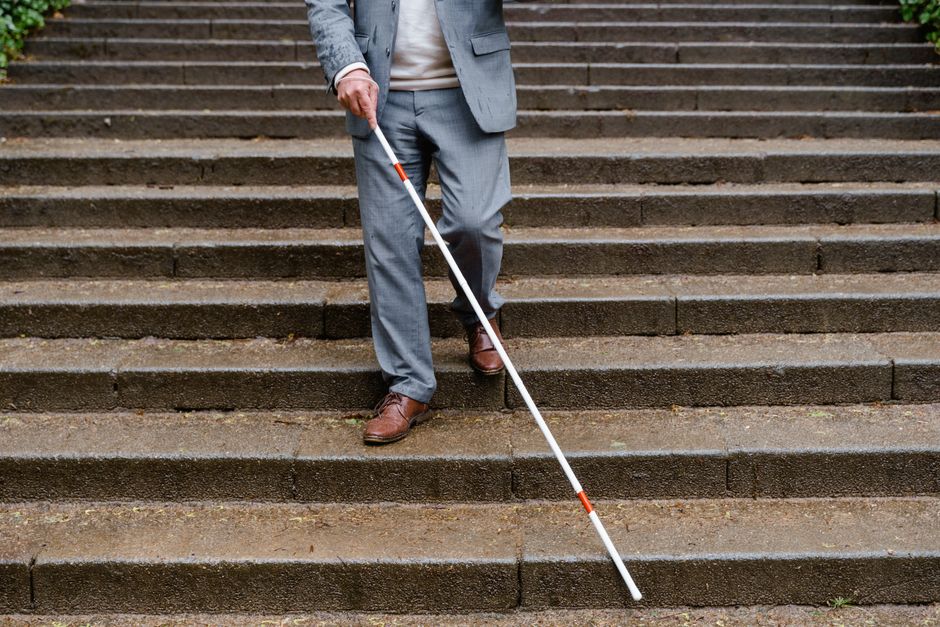
Changing Display Name on iOS and Android Mobile Apps
- Copy your chosen character: Return to the copy bank above and copy the blank space inside the brackets for the Hangul Filler (
U+3164). Ensure you do not accidentally highlight the brackets. - Launch the TikTok application: Open the app on your mobile device and log in to the account you wish to edit.
- Open your profile dashboard: Tap the Profile icon located in the bottom-right corner of the navigation bar.
- Access the editor: Tap the red or gray Edit profile button positioned directly below your follower counts.
- Select the name field: Tap the Name option near the top of the menu list.
- Clear your old name: Tap the small “x” icon or backspace to completely erase your current display name.
- Paste the invisible character: Tap and hold the empty text field until the contextual menu appears, then select Paste. The cursor will advance slightly, showing that the non-printing character is present.
- Save your changes: Tap the red Save button in the upper-right corner of the screen, then confirm the prompt if asked.
When copying text on mobile browsers, double-check your selection before pasting. Touchscreens frequently select surrounding punctuation marks, quotation marks, or unintended standard spaces. If the app displays an error, clear the field entirely and copy the character once more to ensure a clean clipboard transfer.
Changing Display Name on TikTok Web / Desktop
You can also update your profile identity using a standard web browser on a desktop computer or laptop. This method is often more reliable because desktop operating systems handle clipboard encoding without aggressive mobile autocorrect features.
To use an invisible username tiktok copy and paste character on TikTok Web:
- Navigate to tiktok.com in Google Chrome, Safari, or Microsoft Edge, and log into your account.
- Hover over your profile icon in the upper-right corner of the browser window and select View profile.
- Click the Edit profile button beside your username.
- Locate the Name input field and delete your existing text.
- Paste the copied Hangul Filler (
U+3164) or Braille pattern into the box usingCtrl + V(Windows) orCmd + V(Mac). - Click the Save button at the bottom of the dialogue window to finalize your new aesthetic.
Once updated, refresh your page to ensure the change took effect. Your profile will instantly display an empty gap where your regular name used to sit.
Troubleshooting “Name Cannot Be Empty” or Invalid Character Errors
TikTok routinely updates its app filters to detect empty form submissions. If you receive an error message stating “Name cannot be empty” or “Invalid characters,” the platform’s input sanitizer has stripped your character.
To bypass this hurdle, try pasting two or three Hangul Filler characters in a row rather than just one. Multiplied non-printing characters create a string length of several bytes, which fools the validation script into registering valid content.
If errors persist, switch to the Braille Blank Pattern (U+2800), as it operates on a separate Unicode script that algorithms rarely flag. You should also clear your mobile cache by navigating to Settings and privacy > Free up space > Clear Cache inside your TikTok mobile application before attempting the edit again.
Can You Make an Invisible TikTok @Handle / User ID?
While millions of creators succeed in erasing their display name, many wonder if they can completely hide their unique @handle. It is essential to understand the structural difference between these two profile elements.
Your display name is simply a visual nickname shown to visitors, whereas your handle acts as your account’s permanent digital address within the TikTok database.
TikTok’s Official Username Rules and Restrictions
TikTok enforces strict technical restrictions on user handles to preserve system routing, search functions, and tagging architecture. A username must remain unique across the entire global database of active accounts.
According to official platform policies, your handle may only contain English letters, numbers, underscores (_), and periods (.). The system immediately rejects raw Unicode code points, special whitespace characters, and invisible fillers during handle registration.
Because of these strict database parameters, generating a 100% blank or completely invisible @handle is technically impossible through legitimate means.
Near-Invisible and Ghost Handle Workarounds
Although you cannot make a handle vanish entirely, you can create a “near-invisible” look that minimizes visual footprints. Aesthetic creators often employ micro-punctuation sequences that blend effortlessly into the app background.
Common strategies include alternating periods and underscores, such as ._._. or ..___.., which draw virtually no attention when viewed on dark-mode displays. Others register short combinations of minimalist characters that resemble tiny design accents rather than written words.
These subtle punctuation marks keep the technical handle intact while allowing your profile to carry an elusive, phantom vibe.
The “Zero Character” Aesthetic: Minimizing Visual Clutter
The “zero character” aesthetic is a growing styling movement across social video platforms. Users coordinate every component of their account to strip away unnecessary visual clutter.
To achieve this look, pair your invisible username tiktok copy and paste display name with a pure black, pure white, or transparent profile picture. When combined with a micro-punctuation handle, your entire profile header looks like an empty visual canvas.
This layout immediately stands out in comment sections and follower lists because it defies the conventional crowded layout of modern social media profiles.
Creative and Aesthetic Ways to Use Invisible Spaces on TikTok
Invisible Unicode characters are functional styling tools that extend far beyond simply altering your account name. Savvy creators leverage these non-printing characters across multiple surfaces within the platform.
Here are several creative methods you can use to upgrade your content and channel aesthetic using invisible spaces.
Clean and Floating Profile Bio Layouts
The standard TikTok bio editor routinely strips regular spacebar inputs and collapses empty lines, making custom bio formatting difficult. Pasting invisible characters solves this limitation instantly.
By placing a Hangul Filler character on a blank line, you can force the bio editor to maintain vertical paragraph breaks. You can also paste multiple filler characters in front of words to center your bio text manually, creating an elegant floating effect.
This subtle adjustment produces a balanced, editorial profile layout that looks intentionally designed and distraction-free.
Ghost Comments: Leaving Blank Comments on Viral Videos
Ghost comments have become a viral trend across top video comment sections. A ghost comment appears as an entirely empty speech bubble, leaving other viewers confused about how the message was sent.
To leave a blank comment:
- Copy the Hangul Filler character (
U+3164). - Open the comment section of any TikTok video.
- Paste the invisible character into the text field.
- Hit Send.
Because the character has no printable pixels, the comment posts as an empty box. These curiosity-inducing comments frequently receive thousands of likes and replies simply because they look impossible.
Invisible Captions for Aesthetic Video Edits
Video editing communities, POV creators, and cinematic vloggers often prefer their visuals to play without intrusive text overlays. However, TikTok requires users to include text or at least one character in the caption box before allowing an upload to process.
By using an invisible username tiktok copy and paste character in the video description field, you bypass this upload requirement completely. Your video publishes with a pristine, borderless appearance that leaves all visual focus on your cinematography.
This practice ensures high-definition video edits retain a movie-like aesthetic without bulky text boxes cluttering mobile screens.
100+ Minimalist, Ghost, and Invisible-Style Username Combinations
If you prefer a recognizable handle that still embodies a phantom atmosphere, minimalist styling provides the perfect compromise. Below is a curated collection of aesthetic, spaced-out, and micro-punctuation usernames tailored for ghost accounts.
Pure Ghost & Spaced Aesthetic Names (1-30)
- v o i d – absolute emptiness, representing deep digital silence
- n o n e – zero existence, ideal for elusive creator channels
- e m p t y – stripped of all clutter, a minimal Scandinavian design vibe
- g h o s t – unseen presence, tailored for silent edit accounts
- b l a n k – a fresh visual slate without markings or boundaries
- n u l l – computing code for complete lack of data value
- f a d e – gradual disappearance, evocative of ambient music themes
- l o s t – untraceable and hidden from platform algorithms
- a u r a – subtle spiritual energy radiating without physical form
- e c h o – sound lingering after the speaker has left
- s h a d o w – an outline without color or direct illumination
- m i s t – soft atmospheric fog concealing the horizon
- c l o u d – weightless and free-floating aesthetic expression
- z e r o – the origin point of all counting systems
- v a l e – a quiet, secluded valley hidden from view
- d u s k – the dim transition period before midnight
- c a l m – tranquil emotional balance without visual noise
- s o u l – inner essence devoid of physical exterior markings
- p a l e – subdued monochromatic tones without saturation
- h a z e – subtle atmospheric distortion obscuring light
- s t i l l – unmoving, quiet contemplation in a busy space
- a i r – invisible element essential for life and movement
- w i s p – a thin, delicate strand of smoke or vapor
- m u t e – complete silence without audio interference
- v e i l – thin fabric keeping mysteries hidden from view
- g r a y – neutral midpoint between total light and dark
- d a r k – total absence of illumination, modern gothic style
- l a c k – deliberate scarcity emphasizing minimalism
- o f f – disconnected from digital noise and alerts
- e n d – final punctuation, ultimate stillness in design
Micro-Punctuation & Clean Minimalist Handles (31-65)
- _ . _ . _ – rhythmic Morse-inspired punctuation pattern
- . . . v o i d – floating pause leading into open space
- _ _ n u l l _ _ – framed technical emptiness for tech accounts
- . _ . o f f – minimalist micro-face showing disconnected status
- _ _ _ 0 0 0 _ _ _ – symmetrical zero balance line
- . . g h o s t . . – dotted phantom aesthetic for edit channels
- _ . _ z e r o – subtle punctuation marker preceding absolute zero
- . . . b l a n k – trailing ellipses fading into pure white space
- _ x _ 0 _ x _ – clean cryptographic symmetry for private accounts
- . . . m i s t . . . – suspended droplets floating between pauses
- _ . _ . 0 . _ . _ – centered circular core surrounded by quiet dashes
- _ _ _ e c h o – extended baseline indicating fading reverberation
- . . . d u s k – slow evening descent captured through dots
- _ _ _ f a d e _ _ _ – balanced horizontal borders framing quiet disappearance
- . . c a l m . . – soft visual anchors maintaining quiet balance
- _ . _ . v e i l – layered punctuation guarding private identities
- . . . h a z e – subtle dots suggesting misty morning air
- _ _ _ m u t e – visual soundbar showing absolute decibel drop
- . _ . l o s t . _ . – navigation markers framing an unfindable channel
- _ _ 0 _ 0 _ _ – minimalist digital visor expression
- . . . a u r a . . . – balanced radiant dots suggesting subtle energy
- _ . _ s t i l l – quiet platform break indicating serene stillness
- . . . p a l e – understated dots matching low-contrast profiles
- _ _ _ s o u l _ _ _ – foundational horizontal grounding for profile identity
- . _ . w i s p – fleeting smoke trail captured in text symbols
- _ . _ . _ . 0 – extended minimalist code terminating at the origin
- . . . d a r k . . . – surrounding shadows framing deep noir content
- _ _ _ l a c k – structural underline proving less is genuinely more
- . _ . _ . e n d – progressive sequence terminating at the finish line
- _ 0 0 _ 0 0 _ – dual orbital visual symmetry
- . . . a i r . . . – ultra-lightweight breathing room for calm pages
- _ . _ g r a y _ . _ – balanced neutral gray tone accents
- . . . v a l e – scenic digital valley tucked behind pauses
- _ _ _ n o n e _ _ _ – definitive borders framing complete visual absence
- . _ . _ . _ . _ – clean uninterrupted minimalist border handle
Ethereal, Shadow & Anonymous Monikers (66-105)
- Umbra – Latin origin meaning the innermost and darkest part of a shadow
- Nox – Roman mythological goddess and personification of absolute night
- Acheron – Greek mythical river of woe shrouded in perpetual gloom
- Kage – Japanese word for shadow, popular among stealth-themed profiles
- Morana – Slavic goddess associated with winter, quiet rest, and darkness
- Vesper – Latin evening star signifying twilight and twilight stillness
- Erebos – Ancient Greek primordial deity representing deep shadow and darkness
- Tenebris – Classical Latin term for total darkness and shadow realms
- Cimmerian – Homeric origin denoting perpetual gloom, fog, and obscurity
- Nyx – Greek primordial goddess of cosmic darkness and evening stillness
- Obsidian – Volcanic glass stone representing protective, impenetrable darkness
- Caligo – Roman mythological concept of primordial darkness and mist
- Phantom – Greek-derived term denoting an elusive apparition or mirage
- Zal – Persian legendary figure associated with mist-covered mountain valleys
- Sombra – Spanish and Portuguese moniker meaning silent shade or silhouette
- Skia – Ancient Greek word for cast shadow or lingering ghost
- Banshee – Irish folkloric spirit wandering invisibly through the night
- Nebula – Latin astronomical word for an interstellar cloud of interstellar dust
- Rhea – Grounded Greek Titaness associated with the quiet earth
- Cipher – Arabic-derived mathematical term representing zero and hidden messages
- Amnis – Latin poetic term for a quietly flowing underground stream
- Aura – Greek origin signifying an invisible subtle energy or morning breeze
- Tarn – Old Norse name for a secluded, dark mountain lake
- Chaya – Hebrew name meaning life, also used in Hindi to signify shade
- Vapour – Latin origin denoting an ethereal mist floating unseen
- Kiran – Sanskrit name meaning a subtle ray of light cutting through mist
- Eclipse – Greek astronomical event where celestial bodies cast complete shadows
- Silas – Latin name derived from Silvanus, meaning one of the quiet forest
- Orpheus – Greek mythological musician who journeyed through the shadowy underworld
- Sable – Slavic-derived heraldic term denoting deep, pitch-black coloration
- Yugen – Japanese philosophical concept representing profound grace and subtle mystery
- Hesper – Greek personification of the quiet dusk and western evening
- Gloom – Middle English term indicating quiet twilight and soft shade
- Styx – Mythological boundary river flowing invisibly beneath the physical world
- Enigma – Ancient Greek expression for an unsolvable riddle or mystery
- Aether – Greek elemental term for pure, invisible upper air breathed by deities
- Ankou – Celtic mythological figure who watches silently over twilight transitions
- Calyx – Greek protective outer layer guarding fragile inner spaces
- Wraith – Scottish dialect term for an ethereal, floating apparition
- Zero – Italian mathematical translation of cipher, denoting pure nothingness
Pairing these low-profile names with an invisible display name gives your profile an elusive, curated look. When users encounter your page, the absence of noisy text instantly commands attention.
Common Issues, Fixes, and Platform Warnings
Adopting an invisible username TikTok copy and paste technique requires an understanding of how social platforms process empty data. TikTok uses strict content filtering algorithms to maintain database stability and prevent system errors.
While the trick is simple to implement, small software bugs can occasionally disrupt how your profile appears to others. Knowing how to troubleshoot these display issues will keep your profile looking seamless across all devices.
Did TikTok Patch the Invisible Name Method?
TikTok frequently updates its profile verification systems to filter out standard blank characters like the classic spacebar. Entering a regular space will prompt an error message stating that your name cannot remain blank.
However, the platform has not removed support for specific blank Unicode entries such as the Hangul Filler (U+3164). Because this character serves as a legitimate linguistic letter in East Asian digital typography, TikTok cannot block it without disrupting real names. If your blank space fails to save, simply copy a fresh Unicode character and try saving again.
Another reliable fallback option is the Braille Pattern Blank (U+2800). This character is recognized as an accessibility symbol rather than empty space, making it easy to bypass input filters.
The “Tofu” Bug: Why Your Name Appears as a Question Mark Box [?]
On certain older mobile phones or desktop browsers, an invisible character might display as a small rectangle with an “X” or question mark inside. In typography and software development, this visual glitch is commonly known as “tofu.”
Tofu occurs when a device’s installed system fonts lack the glyph library required to render that specific Unicode symbol. Because modern iOS and Android operating systems fully support the Hangul Filler, the vast majority of mobile viewers will see a completely blank space.
To prevent this bug, avoid stacking multiple obscure zero-width joiners together in your display box. Sticking to single-character Hangul Fillers guarantees the highest cross-device compatibility.
Safety, Searchability, and Shadowban Myths
A common misconception across social media communities is that using an invisible display name triggers an automatic shadowban. TikTok’s moderation algorithms flag violations of community safety guidelines, not typographic formatting choices.
Your searchability remains fully functional because TikTok separates your Display Name from your account handle. Friends and followers can locate your account instantly by typing your unique @handle directly into the search bar.
Additionally, your profile QR code, direct video shares, and profile links continue to function normally. You retain every standard discovery feature while enjoying a minimalist aesthetic.
Frequently Asked Questions (FAQ)
Is using a blank name against TikTok’s Community Guidelines?
Using an invisible display name does not violate TikTok’s Community Guidelines. The platform prohibits impersonation, fraudulent identity claims, and abusive text, none of which apply to an empty Unicode filler. As long as your profile does not imitate a verified creator or brand, your account remains safe.
How often can I change my TikTok name if I want to switch back?
TikTok allows users to update their Display Name once every 7 days. If you decide that an invisible profile no longer fits your aesthetic, you only need to wait a week before entering a standard text name. Keep in mind that unique account handles (the @username) operate under a stricter 30-day cooldown period.
How do people tag or mention someone with an invisible name?
User mentions and comment tags rely exclusively on your registered @username handle, not your display name. Friends can tag you in videos or comment sections by typing your alphanumeric handle as usual. When the tag publishes, it routes directly to your profile page without any complications.
Can I use this same invisible character on Instagram, Discord, and Roblox?
The Hangul Filler character works exceptionally well across several other social networks and gaming platforms. Discord servers, Steam profiles, and WhatsApp accounts readily accept the same blank code for nickname fields. However, platforms like Instagram and Roblox enforce stricter name validation filters that may automatically strip empty Unicode inputs.
Conclusion
Mastering the invisible username TikTok copy and paste method offers a quick, creative way to overhaul your digital presence. By swapping standard text for specialized Unicode fillers, you eliminate visual clutter and establish an understated aesthetic.
Whether you pair your blank display name with a cryptic single-word moniker or keep your bio entirely transparent, this styling trick helps your page stand out in an endless stream of loud content. Apply your chosen character today, maintain your handle for seamless tagging, and enjoy a clean profile look across your feed.
