In the fast-moving world of short-form video, your profile presentation sets the tone before a viewer even watches a single clip. Crafting a memorable identity requires more than just picking a clever handle; it demands visual flair that immediately communicates your personal aesthetic. Using curated symbols for tiktok username customization is one of the fastest ways to elevate your brand presence and stand out in notifications, comments, and search results.
Whether you lean toward dreamy celestial accents, raw cyber-grunge typography, or understated editorial dividers, special characters transform a standard profile into an intentional aesthetic statement. Let us explore the technical foundations, platform limitations, and best copy-and-paste glyphs available to upgrade your profile today.
The Power of Symbols in Your TikTok Identity
Standing out on TikTok is an uphill battle against millions of competing creators. While high-production videos drive algorithmic discovery, your profile branding determines whether casual scrollers convert into long-term followers.
Why Unique Symbols Matter on TikTok
Special characters and aesthetic glyphs serve as visual anchors in high-traffic sections of the app, such as the comment section and inbox feeds. When your profile incorporates balanced symbols, it breaks the visual monotony of standard alphanumeric text, drawing the viewer’s eye straight to your name.
Moreover, specific symbols immediately signal your subculture or niche to potential viewers. For example, a cottagecore account immediately establishes its earthy vibe with delicate plant glyphs, while a music producer or streamer might employ sharp cyber-grid markings. This visual shorthand builds immediate brand recall and sets clear expectations for your content.
TikTok Display Name vs. Username (@handle)
Before designing your new aesthetic identity, you must understand a critical platform distinction. TikTok separates your public identity into two distinct fields: your Username (@handle) and your Display Name.
- TikTok Username (@handle): This is your unique platform address used for tagging and direct URLs (e.g., @yourname). TikTok enforces strict alphanumeric rules here. You may only use lowercase letters, numbers, underscores (
_), and periods (.). Special Unicode characters, decorative hearts, and glyphs cannot be placed inside this field. - Display Name: This is the large title shown at the very top of your profile page and above your comments. TikTok allows extensive Unicode flexibility here. You can paste thousands of custom symbols, stylistic lettering, and expressive accents to craft your aesthetic identity.
Understanding this difference allows you to maintain a clean, easily searchable handle while using expressive symbols for tiktok username branding within your display name.
TikTok Username Symbol Rules & Technical Constraints
While TikTok offers broad creative freedom within profile display names, you must navigate specific technical parameters to prevent your text from breaking. Knowing how the platform processes foreign characters will save your profile from visual glitches.
What Characters Are Officially Supported?
TikTok relies on standard Unicode encoding to render text across devices. Unicode assigns a unique computational number to thousands of characters, including alphabets, emojis, and geometric shapes.
Most basic Unicode symbols work flawlessly across the platform, including the iOS app, the Android client, and desktop browsers. However, excessively rare or complex Unicode blocks—such as intricate multi-layer combining diacritics—may be automatically stripped or rejected during the profile save process.
Avoid “Tofu” Boxes (The Missing Glyph Glitch)
Have you ever visited a profile only to see empty rectangular boxes or question marks inside squares? In typography and digital design, these rendering errors are known as “tofu” boxes (named after their resemblance to white blocks of bean curd).
Tofu occurs when a creator uses a glyph supported on their specific operating system (often the latest iOS release) that has not yet been implemented on older Android versions or desktop operating systems. To prevent this, stick to widely adopted Unicode blocks and always preview your display name on both an Apple device and an Android device before finalizing your selection.
TikTok Community Guidelines on Symbols
Not every character is permitted on the platform. TikTok’s safety and anti-fraud systems actively scan profile updates for suspicious patterns or forbidden iconography.
Never attempt to use symbols that imitate the official TikTok verification badge, such as blue-tinted checkmark icons or circled checks. Doing so can result in an automated profile reset or a temporary shadowban for impersonation. Additionally, avoid characters linked to hate speech, offensive political iconography, or hidden zero-width spaces that trigger spam detection filters.
Aesthetic & Soft Girl Symbols (Copy & Paste)
The soft girl and coquette styles remain two of the most enduring visual movements across TikTok. These delicate, romantic characters work exceptionally well for beauty channels, daily vlogging, and lifestyle creators.
Cute Hearts, Ribbons, and Bows
Heart variations add warmth and approachable charm to any username. Pair these with delicate ribbon or wing accents to build an airy, angelic appearance.
- ♡ — Minimalist open outline heart
- ♥ — Classic filled heart glyph
- ❥ — Rotated calligraphic heart accent
- ❦ — Floral-style vintage heart leaf
- ᰔ — Rounded modern decorative heart
- ʚĭɞ — Symmetrical butterfly or fairy ribbon
- 𓆩♡𓆪 — Wing-framed romantic heart motif
- ᰔᩚ — Script-tail delicate heart
Sparkles, Stars, and Magic Glyphs
Celestial icons provide a dreamy, high-vibe atmosphere that instantly catches light in mobile dark mode. These elements are ideal for spiritual, beauty, and creative portfolios.
- ✧ — Classic four-point sparkle star
- ✦ — Bold filled diamond sparkle
- ⋆ — Micro celestial pin-star
- 。˚ — Floating bubble or dewdrop accent
- ☽ — Slender crescent moon
- ☼ — Radiant outline sun symbol
- ✵ — Eight-spoke brilliant starburst
- ˚₊·— Dreamy atmospheric sparkle drift
Floral and Nature Embellishments
If your feed focuses on plant care, slow living, or cottagecore aesthetics, botanical glyphs ground your name in a natural, organic mood.
- ✿ — Symmetrical five-petal cherry blossom
- ❀ — Detailed open floral bloom
- 𖤣 — Minimalist single sapling
- 𖥧 — Wild meadow grass sprig
- 𖡼 — Little forest mushroom cluster
- 𓇢 — Floating wind or gentle drift line
- 𖤥 — Micro potted botanical marker
- ⸙ — Elegant leafy branch divider
Edgy, Grunge, and Y2K Symbols
For creators whose content thrives in gaming, alternative fashion, digital art, or underground music, soft icons will not fit the brief. Instead, use sharp industrial, gothic, and early-2000s cyber markers to build an unmistakable edge.
Daggers, Crosses, and Barbed Accents
Gothic and alternative aesthetics rely on stark contrast, sharp vectors, and historical heraldry icons to project mystery and confidence.
- † — Traditional single Latin dagger/cross
- ‡ — Double-barred ceremonial cross
- ⚔ — Crossed combat broadswords
- ☠ — Stylized skull and crossed bones
- 𓆩 — Left-side pointed raven wing bracket
- 𓆪 — Right-side pointed raven wing bracket
- ⛓ — Industrial interlocking chain link
- 𐕣 — Ritualistic arcane star emblem
Retro Digital & Cyberpunk Glyphs
Channel the nostalgia of dial-up web design, arcade interfaces, and terminal typography using pixelated fills and utilitarian operator icons.
- ▓ — Heavy digital pixel fill block
- ░ — Light-density dot-matrix screen
- ╳ — High-contrast bold cancellation cross
- ⌘ — Retro Macintosh command loop
- ⌗ — Technical telecommunication sharp
- ⨉ — Vector multiplication strike
- ◢ — Sharp diagonal vector corner
- ◤ — Upper terminal cyber accent
Minimalist & Clean Geometric Accents
You do not need loud or ornate icons to make a lasting impression. Many professional creators, interior stylists, and luxury brands prefer understated, architectural punctuation that keeps their profile clean, sophisticated, and polished.
Subtle Dots, Dividers, and Spacers
Dividers create breathing room between your personal name and your niche label, elevating readability without cluttering your profile headline.
- ・ — Centered Katakana middle dot (wide spacing)
- ꞏ — Compact typographic mid-dot
- ◦ — Small hollow bullet point
- ∙ — Compact bullet operator
- | — Crisp vertical boundary line
- ¦ — Broken pipe editorial divider
- ⸱ — Clean micro pause dot
Clean Circles, Squares, and Framing Brackets
Geometric framing shapes draw structure around initials, locations, or secondary profile tags, presenting a balanced and modern look.
- ⟦ ⟧ — Technical double-line brackets
- ⦅ ⦆ — Slender white-parenthesis enclosures
- ◯ — Broad modern minimalist ring
- ◻ — Crisp architectural white square
- ◈ — White diamond with solid center point
- ◇ — Classic open geometric rhombus
- ◛ — Minimalist envelope geometry
Sleek Directional Arrows and Pointers
Subtle directional glyphs guide the viewer’s gaze across your name or point downward toward your bio description and external portfolio link.
- ➳ — Classical decorative fletched arrow
- ➶ — Upward angled feathered vector
- ↳ — Crisp angled return down-arrow
- ⇢ — Modern dashed directional pointer
- ⤹ — Gentle downward sweeping curve arrow
- ➔ — Polished modern UI indicator arrow
- ⇲ — Diagonal lower-right boundary guide
Kaomoji, Anime, and Cute Emoticon Symbols
Expressive Japanese emoticons and anime-inspired glyphs instantly inject warmth, charm, and personality into your profile. These typographic faces and whimsical borders help cozy streamers, lifestyle vloggers, and fan communities build an approachable persona.
Integrating these symbols for TikTok username styling creates an immediate visual hook that separates your account from standard text handles. Below are the most versatile kaomoji accents and frames formatted to fit effortlessly within TikTok’s display name character boundaries.
Expressive Face Kaomoji
Miniature facial expressions convey mood and tone at a glance without taking up excessive character space.
- ( ˶ˆ꒳ˆ˵ ) — Soft, blushing contentment
- (。♥‿♥。) — Heart-eyed adoration
- ( •̀ ω •́ ) — Confident, energetic determination
- (˘ ³˘)♥ — Affectionate blowing kiss
- (๑>ᴗ<๑) — Cheerful excitement
- (◡‿◡✿) — Gentle floral daydreamer
- (。- .•) — Shy side-eye glance
- (ᐡ-ﻌ•ᐡ) — Cute puppy-face expression
Winged Accents and Angelic Borders
Symmetrical wing pairs create balanced bookends around your core handle, giving your profile an ethereal or celestial quality.
- ʚ ɞ — Soft round cherub wings
- 𓆩 𓆪 — Sharp gothic angel or raven wings
- ꧁ ꧂ — Ornate royal flourishing brackets
- ໒ ꒱ — Floating single-feather accents
- ଘ ଓ — Whimsical butterfly wings
- ༺ ༻ — Majestic curved crown filigree
Sparkle Frames and Cloud Clusters
Cloud and bubble formations add an airy, dreamy texture that resonates deeply within the cozy gaming, stationery, and study aesthetic scenes.
- ☁︎ — Classic fluffy cloud icon
- 𓂂 — Floating micro-bubble accent
- ◌ — Translucent dotted aura circle
- 🫧 — Pristine floating soap bubble
- 𓈒 — Tiny atmospheric dust speck
- ☁️ — Fully rendered weather cloud
- ᦂ — Soft ribbon loop embellishment
Gamertag, Esports, and Streaming Symbols
Competitive gamers and live streamers need handles that communicate dominance, team unity, and sharp reflexes. Incorporating tactical markers and combat symbols projects authority in competitive gaming niches such as FPS, battle royale, and MOBA titles.
These symbols for TikTok username customization allow players to mimic official tournament clan tags and leaderboards. Pair these glyphs with sleek alphanumeric text to command instant respect across gaming feeds.
Competitive Gaming Glyphs
Power markers like crowns, crosshairs, and bladed weaponry symbolize high-tier ranking and competitive skill.
- ♛ — Solid sovereign chess queen
- ♚ — Classic royal king’s crown
- 亗 — Imperial warlord battle crest
- 𖣘 — Spinning tactical shuriken emblem
- ⚔️ — Paired duel combat broadswords
- 🎯 — Direct target bullseye marker
- ⚡ — High-voltage speed burst
- ☣ — Biohazard tactical warning glyph
Clan Tags and Spacer Brackets
Tournament-style brackets structure your team or guild affiliations cleanly, framing your player moniker just like an esports broadcast overlay.
- 「 」 — Traditional Japanese corner brackets
- 『 』 — Bold double-lined tournament brackets
- 〖 〗 — White tortoiseshell squad brackets
- 【 】 — Heavy black architectural brackets
- ⟨ ⟩ — Mathematical angle brackets
- ❮ ❯ — Thick modern chevron frames
Zodiac, Mystical, and Spiritual Glyphs
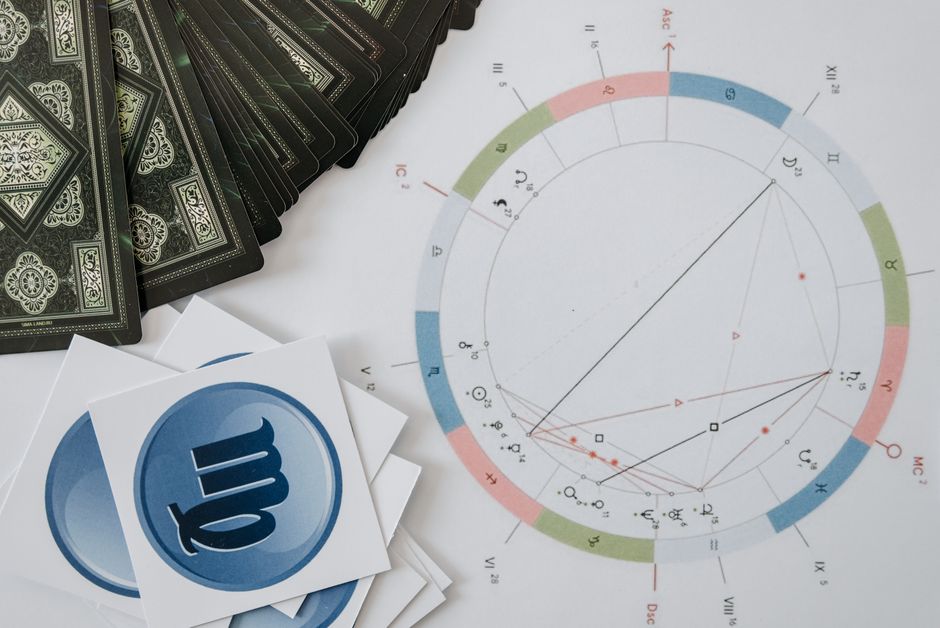
Astrology, tarot, and manifestation niches thrive on visual shorthand. Using sacred geometry, astrological glyphs, and lunar phases directly in your display name immediately signals your spiritual focus to your target audience.
These ancient symbols carry deep historical meaning, making them ideal symbols for TikTok username personalization when establishing an intuitive, arcane, or mindful personal brand.
Western Astrological Signs
Incorporate your sun, moon, or rising sign directly into your name to attract like-minded cosmic creators.
- ♈ — Aries (The Ram)
- ♉ — Taurus (The Bull)
- ♊ — Gemini (The Twins)
- ♋ — Cancer (The Crab)
- ♌ — Leo (The Lion)
- ♍ — Virgo (The Maiden)
- ♎ — Libra (The Scales)
- ♏ — Scorpio (The Scorpion)
- ♐ — Sagittarius (The Archer)
- ♑ — Capricorn (The Sea-Goat)
- ♒ — Aquarius (The Water-Bearer)
- ♓ — Pisces (The Fish)
Moon Phases and Occult Motifs
Lunar cycles and protective talismans enhance mystical handles, symbolizing intuition, transformation, and protective energy.
- 🌑 — New Moon (Blank Slate)
- 🌒 — Waxing Crescent (Emerging Light)
- 🌓 — First Quarter (Balance & Action)
- 🌔 — Waxing Gibbous (Refinement)
- 🌕 — Full Moon (Maximum Illumination)
- 🪬 — Hamsa Hand of Protection
- 👁 — All-Seeing Eye of Providence
- ☥ — Ankh (Eternal Life Key)
- 🕯️ — Sacred Ritual Candle
120+ Curated TikTok Username Combinations (Ready to Use)
Finding the right combination of text and glyphs can be time-consuming. Below is a comprehensive list of pre-formatted, aesthetic usernames organized by aesthetic style. Copy and paste them directly into your TikTok profile, or swap out individual words to fit your identity.
Each entry balances visual symmetry, character limits, and system cross-compatibility so your handle looks pristine on every device.
Soft & Cottagecore Pre-Made Handles
- 𖤥 honey.meadow 𖤥 — Potted plant accents framing a gentle countryside identity
- ʚ petal.drift ɞ — Cherub wings wrapping around a soft floral moniker
- ᦂ fawn_whisper ᦂ — Ribbon loop markers paired with forest wildlife themes
- 𖥧 willow.moss 𖥧 — Wild sprig emblems flanking an earthy, botanical name
- ✿ clover.tea ✿ — Cherry blossom petals surrounding a cozy beverage aesthetic
- cozy.linen — Minimalist antique urns framing a slow-living handle
- ❀ daisy.journal ❀ — Detailed floral blooms surrounding a personal scrapbooking theme
- 𓇢 fern.hollow 𓇢 — Floating wind currents framing a forest valley identity
- 𖡼 mushroom.spore 𖡼 — Forest mushroom clusters surrounding woodland imagery
- ˚₊· cedar.cottage ·₊˚ — Floating celestial dust flanking rustic architecture
- 𖤣 peach.orchard 𖤣 — Clean saplings bookending sweet seasonal fruit imagery
- ʚ buttercup.dew ɞ — Angel wings framing early morning botanical concepts
- ⸙ sage.harvest ⸙ — Leafy branch sprigs framing culinary or herbal lifestyle names
- 𖤥 knit.and.nook 𖤥 — Cozy home markers encasing crafting and book themes
- ✿ thyme.stream ✿ — Floral blooms paired with natural flowing water elements
- 𖥧 dandelion.puff 𖥧 — Meadow grass glyphs flanking a gentle windblown handle
- 𓇢 maple.cabin 𓇢 — Wind drift markers surrounding a cozy autumn shelter
- ᦂ golden.honeycomb ᦂ — Soft decorative loops framing a warm, golden-hour brand
- 𖡼 acorn.patch 𖡼 — Fungi glyphs flanking an autumnal foraging concept
- ❀ ivy.terrace ❀ — Symmetrical blooms framing classic garden architecture
- 𖤣 rustic.quilt 𖤣 — Single saplings framing a cozy crafting profile
- ʚ velvet.sprout ɞ — Winged cherub brackets encasing emerging garden themes
- 𖥧 linen.sunbeam 𖥧 — Meadow accents surrounding soft interior design vibes
- ✿ sweet.briar ✿ — Twin flowers surrounding a romantic woodland aesthetic
- antique.lace — Ornate classic vessels framing delicate vintage themes
Dark, Alt & Cyber Pre-Made Handles
- † void.sector † — Minimalist daggers framing an ominous digital dimension
- 𓆩 phantom.pulse 𓆪 — Sharp raven wings surrounding a rhythmic darkwave theme
- ⛓ chrome.abyss ⛓ — Industrial chain links encasing a cold, mechanical handle
- ▓ neon.glitch ▓ — Pixel fill blocks framing an early-2000s cyber moniker
- ☠ static.venom ☠ — Classic skull emblems bookending a venomous alternative tag
- ╳ cyber.decay ╳ — Contrast cancellation crosses framing digital rot themes
- ‡ null.signal ‡ — Double-barred ceremonial crosses flanking dead frequency concepts
- 𐕣 astral.rot 𐕣 — Arcane star glyphs encasing a heavy occult persona
- ⚔ shadow.circuit ⚔ — Paired broadswords framing combat-ready cybernetics
- ◢ zero.frequency ◤ — Directional cyber blocks surrounding a clean industrial handle
- † toxic.byte † — Dark Latin crosses surrounding a radioactive tech theme
- 𓆩 rusted.halo 𓆪 — Raven wing accents encasing a tarnished angelic aesthetic
- ⛓ wire.tangle ⛓ — Structural chains flanking a high-tension industrial persona
- ░ digital.tomb ░ — Dot-matrix screen textures surrounding a gothic web handle
- ☠ sorrow.code ☠ — Skull markers framing melancholy digital programming themes
- ╳ acid.vapor ╳ — Vector strike crosses framing alternative 90s club culture
- ‡ silent.vortex ‡ — Ceremonial daggers surrounding an infinite void moniker
- 𐕣 ritual.noise 𐕣 — Arcane symbols framing experimental audio or dark art handles
- ⚔ iron.reign ⚔ — Crossed blades flanking an authoritative alternative persona
- ◢ glitch.matrix ◤ — Dynamic cyber cuts encasing a modern hacker identity
- † pale.vampire † — Clean gothic crosses framing classic nocturnal lore
- 𓆩 broken.protocol 𓆪 — Sharp raven brackets surrounding a rebellious tech brand
- ⛓ dark.matter ⛓ — Heavy chain icons enclosing a deep cosmic void name
- ▓ synth.flesh ▓ — Heavy digital pixel blocks framing transhumanist concepts
- ╳ terminal.zero ╳ — Contrast bold crosses encasing an apocalyptic terminal handle
Gamer, Streamer & Tech Pre-Made Handles
- 「APEX」vortex — Japanese squad brackets framing a competitive shooter brand
- ♛ king.pin ♛ — Sovereign chess crowns flanking an authoritative game leader
- 亗 bullet.storm 亗 — Imperial warlord battle crests bookending an aggressive FPS player
- 『NOVA』sniper 『NOVA』 — Double-line esports brackets highlighting a precision shooter
- 𖣘 stealth.ninja 𖣘 — Spinning shuriken glyphs encasing an agile tactical playstyle
- 〖TITAN〗strike 〖TITAN〗 — White tortoiseshell brackets highlighting guild supremacy
- 🎯 headshot.only 🎯 — Direct target reticles framing an elite precision gamer
- 【VOID】player.one 【VOID】 — Heavy structural blocks framing a classic arcade gamer
- ⚔️ pixel.blade ⚔️ — Paired broadswords flanking an RPG speedrunner
- ♚ master.tactics ♚ — Classic king chess markers framing a strategy streamer
- 「SHIFT」overdrive — Clean corner brackets encasing a racing or speedrun moniker
- 亗 shadow.frag 亗 — Imperial crests framing a stealthy first-person combatant
- 『ECHO』reflex 『ECHO』 — Official double brackets highlighting lightning reaction times
- 𖣘 rogue.protocol 𖣘 — Shuriken emblems framing a cyberpunk stealth operative
- 〖ZERO〗aimbot 〖ZERO〗 — Guild brackets framing a competitive FPS specialist
- 🎯 precision.aim 🎯 — Tactical crosshair icons surrounding a high-ranked shooter
- 【SOLO】clutch 【SOLO】 — Heavy framing brackets for a standalone battle royale player
- ♛ victory.royale ♛ — Sovereign crowns celebrating championship status
- ⚔️ dungeon.crawler ⚔️ — Crossed swords flanking an old-school fantasy gamer
- ♚ checkmate.tv ♚ — Royal chess pieces framing an intellectual strategy stream
- 「LUNAR」stream — Clean team brackets surrounding a late-night cozy gaming hub
- 亗 apex.predator 亗 — Battle crests flanking an aggressive competitive rank handle
- 『SURGE』kinetic 『SURGE』 — Structural clan brackets framing high-energy gameplay
- 𖣘 silent.strike 𖣘 — Tactical shuriken markers encasing a stealth ninja brand
- 〖NEXUS〗core 〖NEXUS〗 — Esports brackets highlighting an online gaming community
Minimalist, Luxury & Editorial Pre-Made Handles
- clara ꞏ atelier — Compact typographical mid-dot separating personal brand from studio
- studio ❘ noir — Crisp vertical boundary line creating an editorial design name
- ◯ the.minimalist ◯ — Broad circular rings framing a modern architectural space
- elena ⸱ archive — Subtle micro-pause dot separating personal label from curations
- ◻ maison.blanc ◻ — Symmetrical architectural white squares framing clean fashion
- lucas ◦ design — Light hollow bullet separating creative discipline from designer
- ◈ gallery.haus ◈ — Centered geometric diamonds flanking high-end art showcases
- maya | styling — Vertical boundary pipe dividing fashion creator from service
- ⟦ OBJECTS ⟧ — Technical structural double brackets encasing a curated goods brand
- julian ꞏ edit — Compact typographic spacer highlighting film or photo editing
- ◇ aura.studios ◇ — Open geometric rhombuses framing an elegant beauty brand
- arthur ⸱ visual — Micro dot punctuation grounding a high-end photography page
- ◯ form.function ◯ — Geometric circle brackets celebrating modernist design rules
- sienna ❘ living — Structural divider separating lifestyle creator from portfolio
- ◻ atelier.mono ◻ — Clean framing boxes encasing a monochromatic art handle
- oliver ◦ grain — Minimalist hollow bullet flanking an analog photography feed
- ◈ modern.craft ◈ — Symmetrical diamond accents highlighting bespoke handiwork
- hugo | spaces — Crisp editorial pipe dividing interior architect from work
- ⟦ THE.COLLECTIVE ⟧ — Sleek modern double brackets framing an elite group brand
- sophia ꞏ mood — Minimalist mid-dot grounding an aesthetic curation account
- ◇ blanc.canvas ◇ — Open rhombus glyphs flanking an editorial fine art portfolio
- felix ⸱ frame — Subtle typographical divider framing a cinematography channel
- ◯ studio.eleven ◯ — Circular modernist borders surrounding a boutique brand
- chloe ❘ beauty — Clean editorial divider for a professional makeup artist
- ◻ pure.concept ◻ — Geometric square framing a minimalist aesthetic project
Cute, Bubbly & Kaomoji Pre-Made Handles
- ( ˶ˆ꒳ˆ˵ ) mochi.bear — Blushing joyful kaomoji paired with a sweet dessert theme
- ʚ angel.milk ɞ — Cherub wings framing a soft aesthetic lifestyle handle
- (。♥‿♥。) strawberry.bun — Adoring heart-eyed expression paired with sweet baker vibes
- ☁︎ cloudy.naps ☁︎ — Fluffy weather icons surrounding a peaceful sleep and study brand
- (˘ ³˘)♥ peach.kiss — Sweet kissing kaomoji paired with warm pastel fruit concepts
- ଘ silky.bunny ଓ — Soft butterfly wings wrapping around a gentle pet persona
- (๑>ᴗ<๑) cherry.pop — Cheerful squinting face framing high-energy bubbly content
- 𓂂 bubble.tea.love 𓂂 — Floating micro-bubble accents flanking a cozy beverage moniker
- (◡‿◡✿) daisy.dream — Floral-adorned peaceful kaomoji paired with sunny daydream vibes
- ʚ softie.clouds ɞ — Angelic wing brackets surrounding an airy pastel aesthetic
- (。- .•) shy.boba — Timid side-eye kaomoji framing a sweet café profile
- ◌ cotton.candy ◌ — Dotted circle aura accents framing a playful fairground theme
- ( •̀ ω •́ ) matcha.power — Determined energetic emoticon paired with green tea imagery
- ଘ baby.paws ଓ — Symmetrical fairy wings flanking an adorable pet showcase
- (ᐡ-ﻌ•ᐡ) puppy.snuggles — Puppy-face kaomoji bookending cozy canine content
- ☁︎ vanilla.latte ☁︎ — Minimalist clouds surrounding a daily café routine channel
- ʚ pastel.dreams ɞ — Cherub wings framing soft artistic illustration handles
- ( ˶ˆ꒳ˆ˵ ) honey.toast — Cheerful smiling kaomoji paired with cozy breakfast cooking
- ᦂ pink.ribbon ᦂ — Whimsical ribbon loops encasing a balletcore fashion feed
- (。♥‿♥。) melon.cream — Loving heart-face kaomoji framing a sweet Korean dessert handle
- 𓂂 sugar.drop 𓂂 — Floating bubble glyphs highlighting a sweet baking persona
How to Add Symbols to Your TikTok Profile (Step-by-Step)
Applying custom glyphs to your profile requires understanding the difference between your unique @username and your public Display Name. While TikTok restricts usernames strictly to letters, numbers, underscores, and periods, your Display Name supports a massive library of Unicode icons, kaomoji, and special characters.
Your Display Name appears at the very top of your profile in bold text and alongside your comments across the app. Updating it takes less than a minute whether you work from a mobile phone or a desktop web browser.
Updating Your Display Name on Mobile (iOS & Android)
The mobile app provides the most seamless way to preview how custom symbols render on OLED screens and different mobile platforms.
- Copy your chosen symbols or pre-made handle directly from the lists above to your phone’s clipboard.
- Open the TikTok app and tap the Profile icon in the bottom right corner.
- Tap the Edit Profile button located right beneath your follower count.
- Select the Name field at the top of the settings page.
- Delete your current display text, then tap and hold to Paste your new symbol combination.
- Tap the red Save button in the top right corner of your screen to confirm the update.
Updating Your Name on TikTok Desktop / Web
If you edit your content on a computer or manage a creator agency account, you can update your visual branding directly using any web browser.
- Navigate to tiktok.com on your desktop browser and log in to your account.
- Hover over your profile avatar in the upper right corner and click View profile.
- Click the Edit profile button displayed beside your profile picture and handle.
- Under the Name text input, paste your desired symbols and textual handle.
- Review the live preview to verify that all Unicode fonts and symbols render sharply without displaying fallback boxes (tofu).
- Click Save at the bottom of the dialogue window to finalize your profile redesign.
Using Native Keyboards for Hidden Symbols
You do not always need third-party websites or external generators to discover unique glyphs. Both iOS and Android operating systems have built-in keyboards packed with native emoticons, aesthetic accents, and rare characters.
On an iPhone or iPad, you can activate the Japanese Kana or Romaji keyboard through your system settings. Simply navigate to Settings > General > Keyboard > Add New Keyboard > Japanese. Once enabled, switch to this layout while editing your profile and tap the ^_^ key to open a library of over one hundred authentic kaomoji expressions.
Android users can unlock hidden characters directly through Google Keyboard (Gboard). Long-press any standard letter, punctuation mark, or currency sign to reveal tucked-away typographic variants. Tapping the ?123 switch followed by the =\< button opens mathematical operators, geometric shapes, and distinct bullets ready for immediate use.
TikTok SEO: Maintaining Discoverability While Using Symbols
Aesthetic names elevate your branding, but overusing decorative glyphs can hurt your organic reach. TikTok operates a robust in-app search engine, and the platform relies heavily on profile text to index creator niches. Striking the right balance between visual identity and searchability ensures your target audience can actually find you.
The Searchability Dilemma
When users search for creators or topics in the TikTok search bar, the search engine parses raw Unicode text strings. If you convert standard letters into stylized Unicode fonts (such as mathematical script or gothic letters), the algorithm does not interpret them as normal alphabetical text. A user typing “vintage fashion” into the search bar will rarely see a profile spelled with gothic font alternatives.
Excessive symbols for TikTok username displays can also break query matching entirely. If punctuation marks or miscellaneous symbols bisect your core keywords, search bots struggle to parse your content niche. This barrier reduces your chances of appearing in recommended search suggestions or top profile listings.
The Best-Practice Formula
You can maintain high search rankings while enjoying aesthetic flair by adopting a smart styling formula. Keep your primary brand name, real name, or primary industry keyword in plain, unformatted standard text. Confine your decorative characters strictly to the outer perimeters of your display name.
For example, formatting your name as ✧ Sarah | NYC Realtor ✧ allows the TikTok search engine to index both “Sarah” and “NYC Realtor” perfectly. The star glyphs frame your identity visually without interfering with the internal keywords. This structure preserves full SEO discoverability while giving your page an artistic edge.
Voice Search & Screen Reader Accessibility
Modern social media optimization requires considering universal accessibility. Millions of users navigate TikTok using screen readers such as VoiceOver on iOS or TalkBack on Android. Assistive tools read raw character names aloud to visually impaired users.
When a screen reader encounters decorative symbols or pseudo-alphabets, it vocalizes every single glyph description. A name wrapped in heavy symbols can sound like “Black Star, Sparkles, Mathematical Bold Capital M, Infinity Sign” to an assistive user. Keeping your display name clean and using symbols sparingly ensures a welcoming, professional experience for every community member.
Troubleshooting Common Symbol Errors on TikTok
Integrating unique glyphs into your account occasionally triggers unexpected errors. TikTok enforces strict backend sanitization filters to prevent interface breaks, phishing, and script vulnerabilities. Understanding these platform limitations helps you resolve design snags instantly.
“Characters Not Allowed” Error
The “Characters Not Allowed” popup appears when you attempt to paste forbidden Unicode blocks. TikTok deliberately blocks specific script ranges, including invisible control characters, zero-width space joiners, and right-to-left override markers. These characters are restricted because malicious actors frequently use them to disguise spam links.
If you encounter this alert, strip out any hidden formatting from your pasted text. Replace suspect characters with standardized Unicode symbols, such as basic geometric shapes, arrows, or classical stars. Sticking to widely supported typographic sets prevents security triggers on TikTok’s backend.
Username Character Limit Exceeded
TikTok permits a maximum of 30 characters in your display name, but complex symbols can exhaust this limit faster than expected. Standard Latin letters require only one byte of digital data under standard UTF-8 encoding. In contrast, intricate glyphs, astrological icons, and emoji characters often consume three to four bytes each.
Even if your profile name appears visually brief, its underlying byte footprint might exceed TikTok’s string buffer. If your input field cuts off unexpectedly, reduce the overall number of decorative icons you are using. Prioritize two or three well-placed accents rather than long rows of decorative characters.
Symbols Disappearing After Saving
A frustrating glitch occurs when symbols display properly in the text editor but disappear or turn into empty boxes once saved. This issue typically stems from local device font incompatibilities or temporary app caching delays. When a device lacks the native font family to render a rare Unicode symbol, it displays an empty rectangle known as “tofu.”
To resolve this, verify your profile display on a second device or view your profile using a standard desktop web browser. If the symbol fails across multiple operating systems, TikTok has likely stripped it out during server-side processing. Swap the problematic character for a universally supported glyph from the foundational Unicode blocks.
Frequently Asked Questions (FAQ)
Can I use symbols in my official TikTok @handle?
No, you cannot use aesthetic symbols, spaces, or special characters in your official TikTok handle. TikTok strictly limits handles to standard lowercase letters, numbers, underscores, and periods. All special symbols for TikTok username designs must be placed in your public Display Name instead.
How often can I change my TikTok name after adding symbols?
You can update your TikTok Display Name once every seven days. If you test a symbol layout that looks awkward or renders poorly across devices, you must wait a full week before editing it again. Conversely, your unique @handle can only be updated once every 30 days.
Will using special symbols hurt my TikTok algorithm reach or views?
Special symbols in your display name will not hurt your For You Page (FYP) distribution or video view counts. The recommendation algorithm assesses your content primarily through watch time, shares, and video metadata. However, excessive symbols can reduce your discoverability within search tab queries if they replace readable keywords.
Can I use the verified blue checkmark symbol in my name?
No, attempting to mimic the TikTok verified checkmark using blue emojis or custom Unicode glyphs violates TikTok’s Community Guidelines regarding impersonation. Doing so can lead to automated name resets, account warnings, or shadowbans. Official verification badges sit outside the editable display name container.
How do I type aesthetic symbols directly on my phone without copy-pasting?
You can use your device’s built-in text replacement feature to type symbols quickly. On iOS, go to Settings > General > Keyboard > Text Replacement; on Android, open Gboard Settings > Dictionary > Personal Dictionary. Map your favorite symbol (such as ✧) to a short shortcut phrase (like “/star”) to insert it instantly anywhere you type.
Conclusion & Final Styling Checklist
Carefully selected symbols transform your profile from an ordinary account into a memorable personal brand. By curating aesthetic accents that mirror your niche—whether celestial, y2k, dark academia, or minimalist—you instantly signal your creative style to every visitor. The secret lies in pairing visual creativity with search engine discoverability.
Before saving your updated profile, run through this pre-publish checklist to guarantee peak performance:
- Legibility: Can potential followers read your name in less than two seconds?
- Core Keywords: Are your essential brand terms written in standard, unformatted text for search indexing?
- Cross-Platform Testing: Have you viewed the symbols on both iOS and Android to prevent missing font boxes?
- Accessibility: Will screen readers pronounce your display name without reading dozens of complex character labels?
- Placement: Are your symbols framing your name gracefully rather than splitting up your words?
Once your profile passes each check, paste your customized layout into your settings and hit save. With the right balance of style, technical awareness, and clean typography, your refreshed identity will command attention right across the platform.
