
Best TikTok Editing Username Ideas to Grow Your Account
Your handle is the visual signature stamped on every transition, color grade, and keyframe you share. In the fast-moving TikTok community, a sharp editing handle builds authority instantly, signaling whether you specialize in high-octane anime music videos (AMVs), seamless velocity edits, or moody cinematic reels.
Choosing the right name sets the foundation for your creative brand and makes your content immediately recognizable on the For You page. Below, explore curated collections of tiktok editing username ideas designed to fit distinct visual styles and aesthetic niches.
What Makes a Memorable TikTok Editing Username?
A memorable editing handle functions like a production studio tag. The most successful creators in the video editing community use strategic naming conventions that pair aesthetic themes with recognizable industry terminology.

The Formula of High-Performing Editing Handles
Viral editors usually follow a balanced formula that combines mood with technical identity. Most top accounts rely on a two-part structure: a sensory or tonal word paired with an editing descriptor.
- The Visual Descriptor + Function: Pairing a tone with a craft marker, such as VelvetCuts or HazeVFX.
- Technical Shorthand: Integrating recognized software and production terms like fx, cc (color correction), ae (After Effects), or fps.
- Minimalist Mononyms: Using single, evocative words modified only by a period or underscore to preserve exclusivity.
Balancing Clarity and Originality
Your handle must clarify what you do without falling into repetitive cliches. While tags like edits or vfx instantly tell viewers you produce original edits, overused patterns like x_editor_99 blend into the background. Aim for distinctive combinations that reflect your unique editing techniques and visual rhythm.
Aesthetic TikTok Editing Username Ideas
Aesthetic editing channels thrive on soft color palettes, emotional pacing, nostalgic film grains, and dreamy visual transitions. These handles capture a gentle, artistic presence perfect for lifestyle compilations, retro edits, and ambient visual projects.
Lo-Fi and Dreamcore Handles
- HazyVisions – Evokes dreamy, blurred imagery and low-contrast color palettes.
- StaticLull – Suggests calming ambient background noise paired with vintage TV static.
- DuskFrames – References soft, golden-hour twilight cuts and melancholic visual themes.
- VelvetReel – Conveys smooth transitions, luxurious pacing, and deep shadow tones.
- FadedAura – Represents soft-focus edits washed in pastel and vintage tints.
- EchoCuts – Symbolizes reverberating visual loops, lingering overlays, and slow pacing.
- GloomVfx – Perfectly suited for dark-indie edits, sad-core audios, and low-exposure grades.
- LoomingShade – Suggests mysterious silhouette masking and moody ambient effects.
- TapeDrift – Honors the warping audio-visual style of analog VHS cassettes.
- MistMotion – Conjures imagery of atmospheric overlays and soft Gaussian blur techniques.
- RetroSlumber – Tailored for nostalgic 90s anime edits and slow-reverb audios.
- NocturneEdits – Classical nighttime mood ideal for midnight creative showcases.
Pastel and Indie Visual Names
- PastelSplice – Light and delicate, perfect for soft anime or K-pop colorings.
- CloudyKeyframe – Suggests floating, airy movement and gentle graphic animations.
- BlushGrain – Balances warm rosy color grading with subtle film texture.
- HoneyedShutter – Warm, golden, and nostalgic, ideal for sunny montage edits.
- SunkenGlow – Reflects soft bloom lighting effects and dreamy character focal points.
- PetalRender – Soft, botanical vibe designed for delicate floral transitions.
- LofiLantern – Cozy, warm-toned moniker geared toward late-night study aesthetics.
- SatinSequence – Highlights silky-smooth frame blending and elegant pacing.
- DrizzleCuts – Melodic and reflective, great for rainy-day mood edits.
- SolarFlareFX – Vibrant and radiant, capturing glowing light leaks and warm flares.
- MeadowFrames – Cottagecore-leaning handle fitted for organic, outdoor edits.
- VaporGleam – Blends retro-synth aesthetic with glossy, polished highlights.
Cinematic & 4K Video Editing Usernames
High-end cinematic editors focus on pristine 4K upscaling, deliberate aspect ratios, advanced color grading, and dramatic storytelling. These handles project professional expertise, mimicking Hollywood production houses and boutique creative agencies.

Director and Studio-Inspired Handles
- AuteurCinema – Honors the visionary director style with deep artistic control.
- AnamorphicLab – Refers to wide-format lenses known for cinematic oval bokeh.
- PrimeShutter – Suggests crisp, high-end prime lenses and intentional shutter speeds.
- CineGrade – Direct and authoritative, showcasing dedicated color science mastery.
- RawFootageCo – Minimalist studio aesthetic suited for raw, uncompressed visual craft.
- AspectMotion – Highlights precision framing across widescreen letterbox ratios.
- SilverScreenVFX – Nostalgic nod to classic Hollywood theatrical projection.
- SlateZero – Inspired by the clapperboard slate initiating a professional film take.
- GafferCuts – Industry-insider terminology celebrating the art of cinematic lighting.
- MonolithMedia – Projects scale, structural strength, and monumental visual weight.
- ParamountGrain – Blends legacy studio prestige with intentional film texture.
- CineStrobe – References dramatic cinematic lighting and high-contrast pacing.
Dramatic & High-Production Names
- LuminaryRender – Points to masterful light manipulation and immaculate 4K output.
- ApexKeyframe – Represents the highest peak of technical motion design.
- VividObsidian – Suggests deep, true-black dynamic range and saturated highlights.
- ChromaShift – Refers to prismatic color dispersion and stylish chromatic aberration.
- UltraScaleFX – Perfect for accounts known for high-bitrate upscales and clean clips.
- PrismCut – Highlights sharp, multi-faceted visual storytelling and refraction art.
- ProResStudio – Industry nod to Apple’s lossless video compression codec.
- DynamicDepth – Focuses on parallax, 3D camera tracking, and deep focal planes.
- ShadowCurve – References the delicate manipulation of tone curves in professional grading.
- TitaniumMotion – Industrial, polished, and razor-sharp handle for elite action edits.
- VektorCinema – Clean, scalable, modern branding for hybrid 3D-motion designers.
- HalationLab – Named after the red-orange glow around bright light sources on real film stock.
Velocity & CapCut Editing Username Ideas
Velocity editors dominate TikTok with rhythmic beat-syncing, rapid acceleration curves, rotational shakes, and impact flashes. These usernames are punchy and energetic, signaling fast-paced editing and viral sound trends.
Beat-Sync & Motion Handles
- TempoSnap – Signifies instantaneous cuts placed exactly on the musical beat.
- VelocityPulse – Highlights surging speed ramps and synchronized visual bass thumps.
- RampShift – References speed ramping techniques that accelerate and slow footage dynamically.
- BPMBlender – Direct nod to synchronizing transitions with musical beats per minute.
- FlashTwitch – Captures high-energy strobe effects and aggressive twitch plugins.
- HyperWarp – Evokes intense motion blur transitions that distort time and space.
- ShakeSync – Simple and memorable, describing signature bass-drop screen shakes.
- RapidCutter – Crisp, straightforward moniker for lightning-fast montage artists.
- ImpactFrames – Represents sudden flash frames used in anime fight scenes and drill edits.
- DriftVelocity – Combines smooth directional camera pans with sudden speed bursts.
- SurgeMotion – Emphasizes rising energy curves right before a major drop.
- SnapRender – Punchy handle ideal for fast-exporting mobile creators on CapCut.
- TurboKey – Playful, rapid-fire name for creators who animate speed curves constantly.
- GlideCut – Points to ultra-smooth optical flow transitions and continuous movement.
- VoltVfx – High-voltage, electric identity for creators working with glowing saber plugins.
- AxisWarp – Suggests multi-directional 3D camera pans and spinning transitions.
- FlickerBeat – Describes rhythmic exposure strobing synced to percussion.
- StutterFrame – Cool, modern nod to intentional frame drops and glitch sequences.
- RhythmRend – Conveys the art of slicing video strictly to the audio wave.
- SonicSplice – High-speed moniker combining acoustic power with precision cuts.
Glitch and Transition-Centric Names
Edgy, glitch-heavy edits rely on chaotic optical distortions, RGB splitting, and seamless directional wipes. These handles emphasize technical transition work, fast pacing, and modern kinetic typography.
- StaticShift – Simulates television static bursts transitioning between two intense scenes.
- DisplaceFX – References displacement map plugins used to warp pixels along audio peaks.
- NoiseWarp – Combines digital luminance noise with aggressive directional warping.
- SliceDisrupt – Suggests slicing frames into uneven strips for a chaotic glitch effect.
- PixelTear – Named after screen tearing artifacts caused by rapid camera whip pans.
- GlitchMatrix – Blends classic sci-fi matrix cascades with contemporary glitch aesthetics.
- DataMoshCut – Honors the datamoshing technique that breaks inter-frame video compression.
- CorruptFrame – Hints at intentional file corruption styles popular in alternative video aesthetics.
- KineticGlitch – Focuses on high-speed kinetic typography synced with digital distortion.
- StrobeArtifact – Combines rapid frame strobing with analog compression artifacts.
- JitterWhip – References sudden camera jitters paired with fluid whip pans.
- PixelBleed – Describes saturated color bleeding across digital glitch borders.
Anime & AMV TikTok Editing Username Ideas
Anime Music Videos (AMVs) represent one of the most vibrant editing niches on TikTok, demanding handles that balance emotional depth with combat adrenaline. Selecting the right tiktok editing username ideas in this genre helps establish your niche, whether you focus on viral shonen fight scenes or melancholic romance tributes.
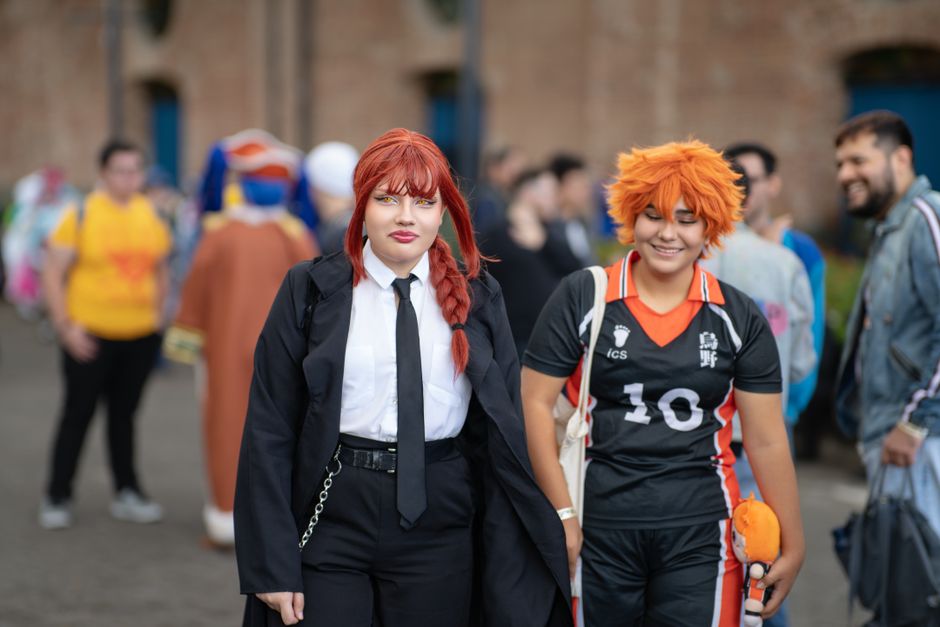
Japanese storytelling concepts pair naturally with motion design terms, creating handles that stand out instantly in comment sections and search algorithms.
Manga & Shonen Edit Handles
- SakugaCuts – Honors sakuga, the Japanese term for breathtakingly fluid, high-quality animation.
- BankaiMotion – Inspired by legendary power releases and rapid anime battle choreography.
- ShonenVfx – Perfect for accounts specializing in high-adrenaline shonen battle sequences.
- DomainRender – References modern supernatural anime abilities and high-tier cinematic effects.
- KatanaWarp – Sharp, swift handle suggesting blade-quick transitions and sword clashes.
- ChakraSplice – Draws inspiration from classic spiritual energy mechanics and glowing auras.
- TitanImpact – Evokes massive scale, earth-shaking footsteps, and explosive anime clashes.
- SaiyanKeyframe – Connects legendary anime transformations with precision animation timing.
- MangaMotion – Combines monochromatic comic panel overlays with modern 3D camera sweeps.
- HakiFlow – Suggests dominating spiritual power and effortless rhythm across every cut.
- ShinobiShifts – Nimble, stealthy moniker designed for fast-paced ninja combat edits.
- AuraBurst – Refers to glowing outer-glow plugins and character aura animations.
- PanelSplice – Tailored for creators who animate static manga panels into kinetic motion.
- ZenitsuSpeed – Evokes lightning strikes, electrical trails, and blinding velocity curves.
- RoninRender – Rogue, independent aesthetic handle suited for versatile anime creators.
Lyrical & Emotional AMV Names
- SakuraEcho – Delicate, poetic identity inspired by falling cherry blossom aesthetic edits.
- NostalgiaAmv – Classic, heartfelt handle dedicated to retro anime romance and bittersweet themes.
- MidnightWeep – Focuses on late-night emotional clips and melancholic lo-fi audio tracks.
- KomorebiEdits – Derived from the Japanese word for sunlight filtering through trees.
- StarfallAMV – Melodic handle capturing cosmic anime visuals and starry backgrounds.
- PetalFrames – Soft, romantic identity built for slice-of-life anime and tearjerker tributes.
- TwilightSigh – Atmospheric name suited for dramatic character arcs and sunset lighting.
- YumeVisuals – Rooted in yume (Japanese for dream), fitting for surreal, whimsical edits.
- RaindropRender – Emphasizes emotional anime scenes set during quiet downpours.
- HiraethAnime – Named after the Welsh concept of deep longing for an unattainable place.
- MelancholyCut – Straightforward and evocative handle for sad boy and sad girl tributes.
- GoldenHourAmv – Focuses on warm, vintage color grades and romantic anime montages.
- SolitudeSync – Perfect for introspective character studies and quiet emotional beats.
- WhisperFrame – Subtle moniker ideal for soft transitions and gentle voiceover mixes.
- HanabiEdits – Named after Japanese summer fireworks, capturing fleeting bursts of visual emotion.
Dark, Grunge & Phonk Editing Username Ideas
Drift phonk edits, street racing montages, and moody anti-hero tributes demand commanding, gritty branding. Creators in this space rely on nocturnal color grading, intense film grain textures, crushed blacks, and aggressive audio distortion.
An impactful handle in this aesthetic sets immediate expectations for bass-heavy pacing and raw, industrial visuals.
Cyberpunk & Neon Visual Handles
- CyberDrift – Combines high-octane automotive sliding with futuristic neon aesthetics.
- PhonkOverdrive – Directly captures the gritty, distorted 808 cowbells of phonk audio tracks.
- NeonCorrode – Evokes glowing signs decaying under acid rain in a dystopian metropolis.
- NightRiderVFX – Inspired by nocturnal highway runs and dark visual grading filters.
- GridReaper – Edgy cyberpunk moniker indicating razor-sharp precision and clean cuts.
- SynthGlitch – Melds retro synthwave palettes with jagged, chaotic video distortions.
- TurboPhonk – High-speed, aggressive moniker suited for sports car and superbike edits.
- CircuitWarp – Reflects electronic motherboard motifs, neon glow paths, and digital decay.
- MidnightChassis – Tailored for car editors synchronizing engine revs with heavy bass drops.
- VaporStatic – Blends retro vaporwave colors with gritty VHS static and tape noise.
- ChromeSpecter – Cold, futuristic identity highlighting reflective metallic textures.
- ApexTuning – Automotive-inspired handle designed for high-performance visual craftsmanship.
- CyberBass – Centers on heavy low-end sound design matched to flashing neon edits.
- TokyoDriftFx – Classic automotive street culture nod paired with stylized visual effects.
- NeonGrim – Combines bright luminescent accents with dark, menacing undertones.
Monochrome and Shadow-Themed Names
- ShadowGrade – References dark, crushed shadow levels and moody exposure curves.
- NoirCut – Elegant, gritty handle drawing from classic black-and-white crime cinema.
- VoidVisions – Suggests an infinite abyss of high-contrast, minimalist dark aesthetics.
- AbyssalKey – Evokes deep ocean darkness and cold, mysterious video transitions.
- BleakMontage – Grungy identity suited for dystopian narratives and raw, unpolished footage.
- EclipseVFX – Named after the celestial phenomenon where darkness completely overtakes light.
- AshVessel – Grungy, poetic moniker fitting for dark fantasy edits and gothic aesthetics.
- GrimKeyframe – Menacing handle highlighting deliberate, ominous visual pacing.
- LowKeyStudio – Professional nod to low-key lighting setups that prioritize heavy shadows.
- ObsidianFade – Sleek, volcanic glass inspiration representing deep, seamless black fades.
- SpectralNoir – Ghostly, ethereal black-and-white identity for mystery-driven edits.
- PhantomShutter – Conveys mysterious camera work and motion-blurred night scenes.
- SilentHaze – Atmospheric handle for foggy, high-grain, and industrial video montages.
- CharcoalCinema – Suggests tactile, smudged textures and rich carbon black tones.
- SinisterFrames – Direct, unapologetic moniker for villain tributes and psychological edits.
Minimalist & Clean One-Word Editing Handles
Minimalism conveys confidence, exclusivity, and professional agency-level production. Choosing clean, stripped-down tiktok editing username ideas positions your account as a serious creative entity rather than a casual hobbyist.

These one-word handles prioritize phonetic punch, luxury aesthetics, and effortless memorability across social media platforms.
Monosyllabic & Abstract Names
- Vexed – Short, punchy identity signaling sharp, unpredictable visual styling.
- Zorn – Industrial and abstract moniker delivering heavy, memorable phonetic impact.
- Kiro – Clean, geometric name with modern international designer flair.
- Stryk – Minimalist spelling of “strike,” ideal for rhythmic, impactful video cuts.
- Vael – Elegant fantasy-tinged name exuding prestige, polish, and quiet mystery.
- Koda – Friendly, cinematic abstract handle popular among film-oriented visual artists.
- Prysm – Stylized spelling of prism, evoking refracted light spectrums and glass effects.
- Flux – Directly references continuous fluid change, liquid transitions, and visual flow.
- Zeph – Clipped from Zephyr, implying swift, effortless transitions and airy motion.
- Nyx – Named after the Greek primordial goddess of night; sleek and enigmatic.
- Crux – Represents the critical, pivotal focal point of a finished visual story.
- Rive – Suggests cleanly splitting footage with razor-sharp editorial cuts.
- Skew – Technical geometry term transformed into a slick, avant-garde creator name.
- Vond – Deep, monolithic abstract title providing instant typographic elegance.
- Quirk – Playful yet sophisticated handle for offbeat, highly creative editing styles.
Clean Film Glossary Handles
- Vignette – Technical term for subtle edge darkening that draws viewers toward the center.
- Splice – Timeless video editing verb celebrating the physical origins of cutting celluloid film.
- Shutter – Honors the camera gate mechanism controlling exposure time and motion blur.
- Aperture – References depth of field, creamy bokeh, and optical lens precision.
- Keyframe – The foundational building block of motion graphics and parameter animation.
- Anamorphic – Points to cinematic widescreen aspect ratios and horizontal lens flares.
- Luminescence – Captures pure, radiant light values in advanced color grading suites.
- Parallax – Highlights multi-layered optical movement and realistic 3D dimensional depth.
- Focal – Emphasizes razor-sharp lens precision, subject isolation, and framing.
- Cadence – Reflects the musical rhythm, heartbeat, and pacing of an edit.
- Gamma – Professional color science term governing mid-tone contrast and luminance.
- Resolve – Industry nod to DaVinci Resolve, the premier Hollywood color grading platform.
- Dissolve – Classic editing technique where one scene seamlessly melts into the next.
- Halation – Optical film phenomenon creating warm, glowing red-orange fringes around light.
- Interlace – Broadcast television term adapted into a sleek, technical creator brand.
Fanpage & Multi-Fandom Editing Username Ideas
Multi-fandom creators pivot rapidly between trending Hollywood movies, chart-topping pop stars, and viral prestige television series. A versatile username gives you the creative freedom to transition between different fandoms without confusing your followers.
These handles emphasize star power, glamorous visual overlays, and celebratory fandom culture.
Star & Celebrity Edit Handles
- StarletSync – Glamorous, polished handle tailored for female pop star and actress edits.
- IdolizedFX – Celebrates idol culture with glittering particle effects and high-energy pacing.
- CinemaCrush – Playful moniker highlighting beloved actors, heroines, and leading screen stars.
- IconAura – Radiates prestige, focusing on charismatic celebrity presence and concert tours.
- StardustMontage – Romantic, glittering handle suitable for Hollywood red-carpet tributes.
- GlamourKey – Luxury-leaning identity ideal for runway clips, fashion week, and beauty edits.
- MuseMotion – Frames your favorite actors and musicians as inspiring artistic muses.
- FandomAvenue – Broad, welcoming username that works across film, television, and pop music.
- DivaRender – Confident, high-energy moniker perfect for powerhouse vocalists and icons.
- CelestialEdits – Elevated, dreamy identity celebrating beloved pop culture icons.
- PaparazziCut – Playful nod to fast-paced camera flashes, red carpets, and high-fashion drama.
- SpotlightSplice – Places featured actors and musicians directly on center stage.
- IdolGlow – Highlights soft diffusion filters, warm glow plugins, and stage concert lighting.
- StargazeVisuals – Dreamy branding ideal for sentimental tribute edits and emotional fan edits.
- VelvetFandom – Soft, luxurious moniker that adapts effortlessly to any celebrity aesthetic.
Multi-Editor Project (MEP) & Collab Handles
Editing studios, collaborative teams, and Multi-Editor Projects (MEPs) require brand names that emphasize unity and scale. A collaborative handle signals to viewers that multiple creative minds contributed to a single production.
Here are creative handle concepts designed for team channels, shared accounts, and editing collectives:
- SynergyStudios – Represents seamless collaboration and harmonic timing across multiple editors.
- UnitedFX – Clean and professional handle for an editing team pooling visual effects skills.
- HiveMotion – Suggests an energetic, tightly organized collective working on shared project files.
- ChromaAlliance – Highlights a diverse group united by rich color grading and composite work.
- NexusCollab – Marks the central intersection where distinct creative styles meet on one timeline.
- FusionCut – Emphasizes the seamless blending of contrasting visual cuts into one cohesive narrative.
- ApexEditingGroup – Authoritative moniker reserved for elite, competition-winning MEP teams.
- EchoStudio – Evokes continuous artistic inspiration flowing from one project part to the next.
- ParallelVFX – Highlights multiple artists running synchronized tracks toward a shared vision.
- SpectrumSquad – Diverse team handle celebrating varied color palettes, pacing, and editing styles.
- OdysseyMEP – Grand, cinematic team identity suited for multi-part storytelling collaborations.
- VibeCollective – Casual, modern group moniker geared toward rhythm-driven community edits.
- ZenithStudio – Represents peak visual polish produced by high-caliber collaborative editors.
- PulseCollab – Captures a shared heartbeat driving high-tempo, multi-creator action edits.
- HorizonMEP – Forward-looking handle tailored for expansive, cinematic community projects.

Username Availability Tips: How to Claim a Taken Handle
With hundreds of millions of registered accounts, finding an unclaimed username on TikTok can be challenging. Your dream handle may already be registered by an inactive profile or an older creator.
Fortunately, strategic typographical adjustments allow you to secure a distinctive variation without compromising your aesthetic. These adjustments protect your discoverability while keeping your handle clean and readable.
Smart Use of Underscores, Dots, and Prefixes
Punctuation allows you to preserve your original concept while claiming an available variation. Placing periods or underscores strategically keeps your name uncluttered and easy to read.
- Mid-Word Separators: Break up compound words naturally (e.g., velvet.vfx or lunar_cuts) rather than grouping characters together randomly.
- Terminal Accents: Add a single trailing period or underscore (e.g., zenithedits.) if the base handle is already taken.
- Editorial Prefixes: Use clean industry prefixes like iam, the, or its (e.g., the.valkyrie.fx) to establish personal authority.
- Studio Suffixes: Attach production tags such as .hq, .cc, or .co to transform a basic username into an editing studio brand.
Incorporating Vowels and Silent Letters
If punctuation marks do not match your desired visual aesthetic, consider subtle letter modifications. Modifying vowels and consonants can preserve phonetic pronunciation while securing an unclaimed registry slot.
Double a terminal vowel (e.g., aesthetixx or novaa.edits) to create visual symmetry on your profile page. Alternatively, substitute the letter “x” or “v” for vowels in modern, cyberpunk-leaning handles, transforming words like “focus” into fvcus or “eclipse” into eclipx. Always ensure your modified handle remains easy to spell so viewers can find you via search.
How to Brand Your TikTok Editing Account Around Your Name
Securing an engaging handle is only the first step in building an identifiable presence on TikTok. To build an audience, you need to turn that handle into a recognizable signature across the platform.
A unified profile identity signals professionalism to prospective followers and mutuals. Aligning your visual watermarks, color schemes, and audio tracks establishes a lasting creative presence.
Designing a Matching Watermark
Content theft remains common within online editing communities, making watermarks essential for credit protection. A well-designed watermark deters unauthorized reposting while reinforcing your brand on every viral video.
Choose a clean font that matches your account aesthetic—such as a bold sans-serif for velocity edits or a graceful serif for character tributes. Set your watermark layer to Overlay or Soft Light blending modes with 30% to 50% opacity. This keeps your handle legible against shifting backgrounds without distracting viewers from the visual flow of your edit.
Aligning Bio, PFP, and Audio Choices with Your Handle Aesthetic
Your profile picture (PFP) serves as the visual face of your editing brand across comment sections and feeds. Choose a high-contrast still from one of your best edits, treated with your signature color grading preset (LUT) to match your handle’s style.
Your bio should clearly state your editing software (such as After Effects, CapCut, or Alight Motion) alongside your preferred fandoms or genres. Consistently pairing your posts with trending, high-bitrate audio tracks will reinforce your niche in TikTok’s recommendation algorithm.
Frequently Asked Questions About TikTok Editing Usernames
How often can I change my TikTok username?
TikTok permits users to change their username once every 30 days. Your display name can be modified every 7 days, but the actual account handle remains locked throughout that monthly window.
Frequent handle changes can confuse your current followers and break external watermark links on older viral videos. Stick with one handle for at least six months to build search equity and community recognition.
Should I include the word “edits” or “vfx” in my handle?
Adding terms like “edits,” “vfx,” or “cc” provides immediate search engine optimization (SEO) benefits. These keywords help TikTok’s search engine index your profile when users search for tutorials or edits.
However, abstract brand names (like Luminary or Valkyrie) offer greater long-term flexibility if you expand into original cinematography or broader design work. Choose descriptive handles for fast niche discovery, or select abstract names for distinct, long-term personal branding.
How do I keep my watermark readable without ruining the edit?
To preserve readability without cluttering your video, position your watermark along natural visual planes, such as the lower third or near the central focal subject. Avoid placing it in the bottom right corner where TikTok’s native interface icons will obstruct it.
Apply a slight drop shadow or a gentle Gaussian blur behind white text. This technique keeps your username readable against both pitch-black letterboxing and bright, blown-out clips.
Final Thoughts: Choosing the Perfect Handle for Your Editing Journey
Your TikTok editing username serves as the anchor for your creative voice, community presence, and visual portfolio. Whether you choose a high-energy velocity handle, a dreamy cinematic title, or an abstract studio moniker, your handle introduces your work before the first cut plays.
Select a handle that reflects your current passion, verify its availability, and set up your profile aesthetic. Once your branding is in place, open your editing software, start keyframing, and share your perspective with the world.
