Introduction: The Impact of Symbols on Your TikTok Identity
Standing out on TikTok requires more than just high-energy videos; it begins the moment someone glances at your profile. With millions of creators competing for attention on the For You Page (FYP), incorporating aesthetic tiktok username symbols gives your identity an immediate visual advantage. These tiny decorative glyphs instantly communicate your aesthetic, whether you are cultivating a soft coquette feed, an edgy Y2K vibe, or a competitive gaming brand.
Beyond surface-level aesthetics, custom characters help define your niche and elevate your personal branding across comment sections and search tabs. When viewers see a distinct sparkle, bow, or runic symbol next to your name, it builds immediate brand recall. A thoughtfully placed glyph transforms plain, forgettable text into a stylized digital signature that viewers remember.
Selecting the right visual accents helps set expectations for your content before a user even watches your first video. As the platform becomes increasingly visual and community-driven, mastering these subtle branding elements is an essential skill for modern creators looking to leave a lasting impression.
TikTok Username vs. Display Name: Understanding Character Rules
Before designing your new aesthetic identity, you must understand how the platform differentiates between your account identity points. Many creators run into technical errors because they mistake their system handle for their public display profile name. Understanding these platform boundaries will save you time and prevent unnecessary profile cooldown delays.
Official Restrictions for the TikTok Handle (@username)
Your TikTok handle is the unique identifier that starts with the “@” symbol and forms your profile URL. Because this handle functions as an address across server databases, the platform enforces strict algorithmic constraints on what characters you can use.
- Allowed Characters: Letters (a-z), numbers (0-9), underscores (_), and periods (.).
- Disallowed Elements: No spaces, emojis, Unicode glyphs, special punctuation, or non-Latin decorative scripts are allowed.
- Length Limits: The handle must be between 2 and 24 characters in total length.
- Placement Rules: Periods cannot be placed at the very end of your handle.
Because of these strict guidelines, you cannot place decorative tiktok username symbols directly into your official @handle. Attempting to paste a star, heart, or Japanese aesthetic bracket into your handle input will result in an “invalid characters” error.
Creative Freedom in the TikTok Display Name (Nickname)
Your display name—often referred to in settings as your “Name” or nickname—is the large, bold title shown at the top of your profile page and on your comment badges. Unlike the restrictive handle, your display name offers complete creative freedom for visual styling.
TikTok supports standard Unicode characters within the display name field, giving you access to thousands of special glyphs, kaomoji, and alternative alphabets. You can use up to 30 characters here, providing plenty of room to pair your actual name with curated decorative elements. This is the exact location where aesthetic symbols, editorial dividers, and delicate icons belong.
Furthermore, your display name is fully searchable in the app’s directory. Adding subtle, thematic accents here will not hinder potential followers from finding your account through native keyword searches.
Quick Comparison: Handle vs. Display Name Capabilities
Choosing where and how to adjust your branding depends on how TikTok handles each field across its ecosystem. Review this quick breakdown to optimize your profile setup smoothly:
| Feature / Setting | TikTok Handle (@username) | TikTok Display Name (Nickname) |
|---|---|---|
| Character Limit | 2 to 24 characters | Up to 30 characters |
| Permitted Characters | Letters, numbers, periods, underscores | Full Unicode (symbols, emojis, scripts, spaces) |
| Symbol Compatibility | Strictly prohibited | Fully supported for aesthetic styling |
| Direct Mentions / Tagging | Yes (used for @ tags in videos and comments) | No (purely visual display) |
| Modification Cooldown | Can only be changed once every 30 days | Can be changed once every 7 days |
Understanding these practical differences allows you to keep a clean, searchable handle while turning your display name into an eye-catching visual centerpiece. Now, let us explore the best aesthetic symbols you can paste straight into your display profile.
Copy & Paste Aesthetic TikTok Symbols (Categorized Directory)
To help you style your display name effortlessly, we have compiled a categorized directory of the most popular, stable Unicode glyphs used by top creators. Simply highlight your favorite characters, copy them to your clipboard, and paste them into your profile settings.
Stars, Sparkles, and Celestial Symbols
Celestial glyphs remain a perennial favorite for lifestyle, spirituality, wellness, and dreamy aesthetic channels. These shining accents add an ethereal, magical glow to any display name.
- ✧ — Delicate four-point starburst
- ✦ — Solid sparkle star
- ☾ — Elegant crescent moon
- ⋆ — Classic miniature star particle
- ✵ — Intricate eight-point sunburst
- ❂ — Circular radiant sun emblem
- 🪐 — Stylized planetary ring accent
- ☽ — Shaded waxing moon glyph
- ☼ — Minimalist sunburst with rays
- ✰ — Outlined sparkling star
- ✬ — Tilted accent star
- ✮ — Bold decorative starburst
Hearts, Bows, and Cute / Soft Aesthetic Symbols
Tailored for coquette, balletcore, and soft-girl aesthetics, these symbols bring warmth and romance to your channel. They pair exceptionally well with cursive typography and muted pastel themes.
- ♡ — Classic hollow aesthetic heart
- ʚɞ — Symmetrical angel or fairy wings
- ᰔ — Open ribbon-style heart
- ୨୧ — Traditional coquette ribbon bow
- ꕤ — Delicate miniature blossom
- ᰔᩚ — Scripted swirling love accent
- 𐙚 — Modern stylized coquette bow tie
- 🦢 — Graceful swan silhouette
- 🩰 — Soft ballet slipper emblem
- ღ — Traditional Georgian sweet embrace symbol
- დ — Rounded floral heart glyph
Dark, Grunge, and Y2K Symbols
If your content leans toward alternative fashion, cyber-grunge, metal, or vintage Y2K themes, these aggressive and gothic glyphs will anchor your display name with sharp visual intensity.
- ☠ — Vintage skull and crossbones
- ✞ — Classic gothic Latin cross
- ☥ — Ancient Egyptian ankh symbol
- ⛓ — Heavy industrial chain links
- 𓆩♡𓆪 — Shielded gothic heart with angel/demon wings
- 𖤍 — Royal crest emblem
- 𓆩†𓆪 — Winged gothic cross
- 🕷 — Web spider accent
- 𖤐 — Inverted star glyph
- 𖦹 — Y2K hypnotic spiral
- ✙ — Bold Maltese military cross
Minimalist, Geometric, and Editorial Dividers
For fashion curators, design professionals, and portfolio creators, excessive flourishes can look cluttered. These clean geometric markers and dividers provide balanced, editorial framing for a modern brand.
- 𓍼 — Elegant looping editorial ribbon
- ༝ — Subtle aesthetic multiplication point
- ┊ — Slender vertical divider line
- ⌗ — Modern squared hashtag badge
- ⬡ — Symmetrical hollow hexagon
- ◈ — Inverted layered diamond
- ┆ — Minimalist dashed vertical spacer
- ❘ — Solid modern pipeline divider
- ᚐ — Squared midpoint accent
- ᠉ — Flowing editorial quote marker
- ∷ — Subtle four-dot square matrix
Nature, Botanical, and Cottagecore Glyphs
Rooted in organic beauty, these earth-inspired accents suit plant lovers, outdoor vloggers, slow-living accounts, and cozy craft channels wanting a calm, grounded digital aesthetic.
- 𖥸 — Slender budding branch
- ❀ — Classic blooming cherry blossom
- 𖤣 — Single seedling emerging from earth
- 𖥧 — Miniature wildflower sprout
- 𓇢 — Flowing wind and floral breeze glyph
- 𖡼 — Woodland mushroom cap accent
- 𖤥 — Symmetrical domestic cottage tree
- ☘ — Traditional good-fortune shamrock
- 𖥧𖧧 — Clustered field meadow sprouts
- ⸙ — Elegant single botanical palm leaf
Kaomoji and Japanese Aesthetic Emoticons
Expressive kaomoji provide playful character to anime channels, gaming profiles, and comedy accounts. These text-based expressions communicate personality far better than standard system emojis.
- (˶ᵔ ᵕ ᵔ˶) — Cheerful, content smiling face
- ₍ᐢ. .ᐢ₎ — Miniature bunny ears character
- (づ ᴗ _ᴗ)づ — Gentle hug and warm embrace
- (੭ˊᵕˋ)੭ — Joyful waving celebration
- ( ˶ˆ꒳ˆ˵ ) — Warm blushing, happy expression
- (ง’̀-‘́)ง — Playful fighting/determined stance
- (๑>ᴗ
- (¬_¬) — Sarcastic or side-eye glance
- (✿◠‿◠) — Serene flower-adorned smile
Arrows, Crosshairs, and Gaming Accent Symbols
Esports competitors, highlight clip editors, and live streamers need punchy accents that indicate speed, precision, and rank. Use these symbols to frame team tags, clan affiliations, or personal gamer tags.
- ➢ — Sharp directional pointer arrow
- ⌖ — Precision targeting crosshair
- ⚔ — Crossed battle blades
- ᯓ — Wind-rush speed trail accent
- ⚡ — Clean electric lightning bolt
- 亗 — Imperial victory crown insignia
- 彡 — Trailing speed-slash glyph
- 〆 — Traditional esports Japanese termination seal
- ﹫ — Modern gaming clan tag wrapper
- ☣ — Biohazard tactical warning badge
Pairing these expressive icons with the right naming balance ensures your brand shines across feeds without sacrificing legibility or account discovery.
Pre-Made Aesthetic TikTok Username Ideas Featuring Symbols
Selecting the right arrangement of decorative elements can instantly elevate your profile’s perceived production value. Finding the right balance between readability and stylistic flair transforms a standard handle into an eye-catching signature.
Below are curated, plug-and-play TikTok display name ideas organized by popular subcultures and aesthetic movements. You can copy these combinations directly or swap in your personal moniker while preserving the surrounding decorative framework.
Coquette and Soft Aesthetic Username Formulas
The coquette and soft girl styles rely on delicate spacing, vintage ribbons, miniature hearts, and airy celestial accents. These combinations soften letterforms and convey an innocent, romantic sensibility.
- 𓍢ִ໋🌷͙֒ charlotte — Soft tulip motif paired with vintage lace ribbons.
- ౨ৎ clara.reads ౨ৎ — Symmetrical mini ribbon bows framing a cozy bookish niche.
- ♡⸝⸝ velvet.cherie — Angled layered line-heart paired with nostalgic French phrasing.
- ˚୨୧⋆。˚ angelic.lola — Classic tiered royal bow crowned with starlight dust.
- ᰔ softly.aurora — Rounded miniature heart accent indicating gentle lifestyle vlogs.
- ₊˚⊹ chloe.notes ⊹˚₊ — Shimmering clusters framing educational or stationery content.
- 𓍼 juliet.core 𓍼 — Flowing editorial ribbon curls framing a romantic fashion diary.
- ⋆˙⟡ petal.mia ⟡˙⋆ — Balanced diamond spark markers adding subtle botanical glow.
- (˶ᵔ ᵕ ᵔ˶) honey.hannah — Cheerful smiling kaomoji paired with warm lifestyle themes.
- 𓆩♡𓆪 sweet.seraph — Shielded cherub wings encasing a central pastel heart.
- ᯓ★ celeste.cloud — Trailing star streak paired with dreamy ambient aesthetics.
- ଘ(੭ˊᵕˋ)੭ sunny.daisy — Floating fairy kaomoji spreading positivity.
Pair these soft borders with lower-case lettering to maintain an understated, approachable personality across your comment sections.
Streetwear, Baddie, and Y2K Username Formulas
High-contrast profiles require sharp, cyber-inspired glyphs, gothic crosshairs, and industrial markers. These layouts draw inspiration from late-1990s rave flyers, modern techwear labels, and early web typography.
- 𝖝 CYBER.VEX 𝖝 — Heavy gothic index markers flanking futuristic techwear brands.
- ⛓️ toxic.aura ⛓️ — Industrial curb chain glyphs creating an edgy street border.
- 𖤐 nyx.rebel 𖤐 — Inverted occult star paired with bold monochrome styling.
- 𖦹 acid.orbit 𖦹 — Hypnotic Y2K distortion spiral framing bold creative accounts.
- 𓆩†𓆪 vamp.karter 𓆩†𓆪 — Gothic winged Latin cross structure for high-contrast fashion.
- ⚡︎ voltage.zane ⚡︎ — Geometric high-voltage flash highlighting speed and athletic energy.
- ☠ deadstock.kai ☠ — Classic warning emblem framing vintage streetwear resellers.
- ✦ RAVE.NATION ✦ — High-impact solid starbursts providing classic Y2K digital punch.
- 𖤍 reign.blake 𖤍 — Royal crest insignia paired with luxury urban streetwear.
- ✕ zero.gravity ✕ — Crisp geometric cancellation markers framing alternative content.
- 𓆩⚡︎𓆪 volt.strike — Industrial lightning encased in dark cybernetic wings.
- ☣ hazard.unit ☣ — Tactical biohazard insignia suited for grime and tech aesthetic edits.
These intense markers project confidence and authority, making them popular choices for fitness influencers, hip-hop creators, and luxury street brands.
Clean Girl and Minimalist Username Formulas
Minimalist curation demands restraint. The clean-girl aesthetic focuses on balanced spacing, subtle geometric accents, and delicate editorial lines rather than clustered illustrations.
- elena ༝ wellness — Subtle center multiplication dot separating name and niche.
- studio ❘ claire — Solid modern pipeline divider creating an editorial masthead feel.
- maya ⬡ design — Symmetrical hollow hexagon accentuating architectural portfolios.
- sienna ◈ living — Inverted layered diamond creating quiet luxury visual balance.
- olivia ᠉ home — Flowing minimalist quotation hook indicating curated interiors.
- nora ┊ skin — Slender vertical punctuation divider providing clean separation.
- emma ⌗ daily — Architectural squared badge accentuating modern daily vlogs.
- ava ∷ archive — Minimal four-point square matrix creating a high-fashion portfolio layout.
- sophia ᚐ space — Single midpoint stone accent adding modern typography contrast.
- charlie ┆ journal — Ultra-thin dashed vertical spacer suggesting creative stationery.
- harper ༚ glow — Floating miniature ring marker for luxury skincare curation.
- zara 𖥸 botanics — Spare botanical branch marker keeping plant care profiles modern.
Using disciplined, single-character dividers communicates professionalism, making your account instantly appealing to agency talent scouts and luxury brand partnerships.
Gamer, Anime, and Streamer Username Formulas
Streaming and competitive gaming communities value symbols that evoke targeting accuracy, digital combat, and esports clans. These formulas incorporate crosshairs, kanji stamps, and energetic arrows.
- ⌖ PHANTOM ⌖ — Precision targeting crosshairs flanking tactical first-person shooter tags.
- ⚔️ valkyrie.tv ⚔️ — Crossed blades establishing competitive RPG and MOBA play.
- 亗 APEX.KING 亗 — Imperial battle crown insignia symbolizing top-tier leaderboard ranks.
- 〆 SHADOW 〆 — Japanese termination seal traditionally used by elite sniper squads.
- ᯓ RUSH.FPS ᯓ — Aerodynamic speed-trail glyph signifying agile, aggressive playstyles.
- (ง’̀-‘́)ง brawler.sam — Determined fighting kaomoji representing fighting game competitors.
- ﹫ REIGN ⌖ LIVE — Clan tag bracket paired with active broadcast crosshair glyphs.
- 彡 NEON.STRIKE 彡 — Directional speed slashes indicating swift movement and reflexes.
- ➢ ROGUE.ONE ➢ — Bold directional navigation dart pointing forward into the feed.
- ₍ᐢ. .ᐢ₎ cozy.pixel — Anime bunny face suiting cozy simulation streamers.
- 🎮 CHRONO ⚡ — Classic controller badge paired with high-tempo electric accents.
- ✧ ANIME.VAULT ✧ — Bright celestial diamond framing animated clip edits.
Selecting bold accents that match your stream overlay or gameplay style creates brand continuity between TikTok, Twitch, and YouTube.
How to Create Custom Symbol Names Using Unicode Font Generators
Designing a memorable TikTok name requires an understanding of how text generators construct their distinct styles. Rather than generating true software fonts, these tools manipulate an expansive universal character directory to produce styled lettering.
How Unicode Characters Work Across Devices
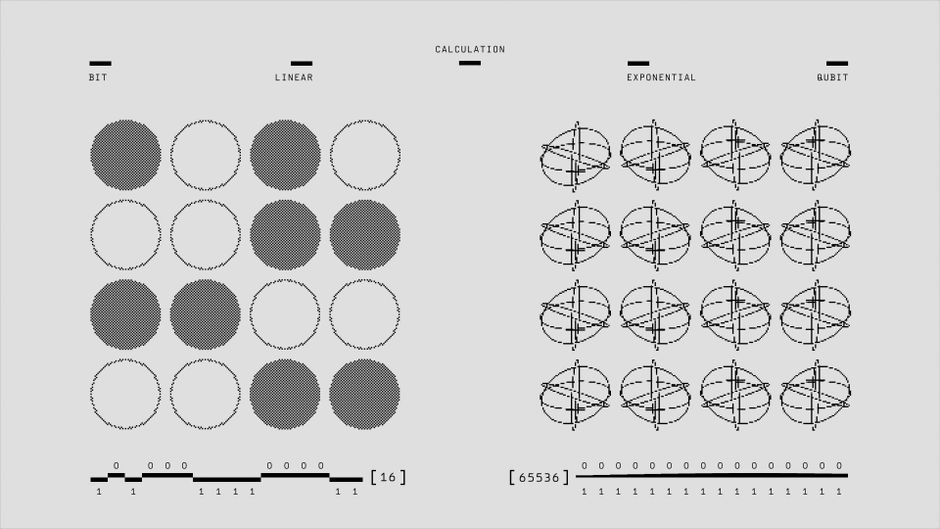
Computers and smartphones do not actually read visual letters; they process numerical values. Unicode serves as the global computing standard that assigns a unique numerical code point to every letter, symbol, and emoji across different languages and platforms.
When you use an online generator to produce “gothic” or “cursive” text, the tool replaces standard Latin alphabetic code points with mathematical alphanumeric symbols or alternate regional scripts located deep within the Unicode directory. For example, standard letter characters are swapped for mathematical script glyphs that resemble cursive handwriting.
Because each device manufacturer controls its own system font libraries, these characters may render with minor variations. Apple devices running iOS use the Apple Color Emoji and San Francisco typography engines, which present soft lines and polished gradients. Android hardware utilizes the Roboto and Noto font families, resulting in sharper borders. If an older operating system lacks the character pack for a newly released glyph, it renders a hollow rectangular box—known in typography as “tofu” (□)—or a question mark inside a diamond ().
Best Online Font and Symbol Generator Tools
Creating complex symbol arrangements by hand is time-consuming. Several dedicated digital utilities simplify the discovery and formatting process through user-friendly copy-and-paste directories:
- LingoJam: A clean, browser-based two-column generator. Entering plain text on the left instantly produces dozens of Unicode variations on the right, spanning small caps, vaporwave wide text, and Fraktur gothic lettering.
- Cool Symbol: A master web repository featuring categorized glyph lists. Clicking any aesthetic icon, divider, star, or emoji copies it to your clipboard for quick testing in your profile fields.
- Fonts App (iOS & Android): A third-party mobile keyboard extension that lets you type customized symbols directly inside TikTok, removing the need to switch back and forth between browser tabs.
- FancyKey: A mobile customization tool offering integrated symbol banks, decorative ASCII art strings, and preset text borders tailored for social platforms.
- Unicode Character Map (Desktop): Operating system utilities such as Windows Character Map or macOS Character Viewer allow you to locate rare linguistic marks, accents, and diacritics without third-party advertisements.
Always verify generated text inside a private notes application before applying it to your account to confirm that all characters translate cleanly without missing glyph blocks.
Combining Custom Fonts with Decorative Symbols
Combining stylized lettering with decorative TikTok username symbols requires careful aesthetic discipline. Combining overly complex cursive text with heavy borders creates visual noise that strains viewer readability.
Adopt an anchor-and-flourish structure: if your name uses an intricate font style like Fraktur gothic (𝖄𝖔𝖚𝖗𝕹𝖆𝖒𝖊), keep surrounding accents minimal, using clean geometric dots or thin vertical lines. Conversely, if your name is typed in simple lowercase Latin letters, feel free to use more expressive framing elements, such as angel wings (𓆩 𓆪) or floral clusters (𖥸).
Symmetry also plays a critical role in graphic balance. Placing a ribbon or star on the left side of your name while leaving the right side open can make your profile appear misaligned in comment sections. Strive to match opening and closing markers to establish clean margins.
Step-by-Step Guide: How to Add Symbols to Your TikTok Name
Before modifying your account, it is critical to distinguish between your TikTok Username (handle) and your Name (display identity). Your username begins with an “@” symbol, forms your shareable web link (tiktok.com/@username), and supports only letters, numbers, underscores, and periods.
Your display name, by contrast, appears in bold typography at the top of your profile page and prominently across video comment threads. This field fully supports aesthetic Unicode symbols, emojis, and custom character sets.
Updating Your Name on the TikTok Mobile App (iOS & Android)
- Open the TikTok application and tap the Profile tab in the bottom-right corner.
- Tap the Edit Profile button located beneath your bio summary and follower counts.
- Tap the Name field at the top of the editing menu.
- Clear your current entry, then paste your prepared symbols and text combination directly into the box.
- Review the preview carefully to ensure no unsupported tofu boxes (□) appear.
- Tap Save in the upper-right corner to publish your updated branding.
Keep in mind that TikTok enforces a 30-character limit on display names. Additionally, the platform permits display name changes only once every seven days, making it important to double-check spacing before confirming your edit.
Updating Your Name on TikTok Desktop / Web
- Navigate to the official TikTok website via your preferred desktop browser and log in to your account.
- Hover over your profile avatar in the upper-right corner and select View Profile from the dropdown menu.
- Click the Edit Profile button next to your current handle.
- Locate the Name input field within the modal dialogue window.
- Use your clipboard shortcut (
Ctrl + Von Windows orCmd + Von macOS) to insert your custom glyphs. - Click the red Save button at the bottom of the interface to apply the adjustments across all active sessions.
Updating your profile through a desktop browser offers a practical advantage: it lets you view how desktop browser rendering handles your chosen symbols, ensuring your profile looks polished across laptops, tablets, and mobile devices alike.
SEO, Usability, and Accessibility: The Risks of Overusing Symbols
While symbols add instant personality, using them without a clear plan can quietly undermine your growth metrics. Striking a thoughtful balance between creative expression and functional discoverability is essential for long-term audience building.
Impact on TikTok In-App Search and Discoverability
TikTok functions increasingly as a visual search engine, indexing keywords within display names, video captions, audio titles, and on-screen text overlays to serve relevant content. Obscuring your core identity behind decorative symbols can interfere with how this algorithm indexes your account.
The search engine reads mathematical alphanumeric replacement fonts as distinct symbolic codes rather than standard alphabet letters. If you convert the name “Sarah Fitness” into mathematical script like “𝓢𝓪𝓻𝓪𝓱 𝓕𝓲𝓽𝓷𝓮𝓼𝓼”, users searching for “Sarah” or “Fitness” in the search bar may not see your account suggested in the top autocomplete directories.
To preserve search visibility, keep your primary target keywords in clear, standard alphanumeric text. Position decorative symbols as bookends or subtle interior dividers rather than transforming your entire name into stylized code points. This approach preserves your search discoverability while still delivering a polished visual signature.
Screen Reader Accessibility and Inclusivity
Assistive technology like screen readers interprets text-to-speech by reading out the precise Unicode technical descriptions assigned to each character. When you construct a name out of complex mathematical alphanumeric symbols, decorative glyphs, or phonetic scripts, text-to-speech software speaks every single character description aloud.
For example, substituting standard letters with Gothic or script Unicode characters forces a screen reader to announce “Mathematical Bold Fraktur Capital S” instead of simply reading the letter “S.” Stacking multiple decorative arrows, stars, and wingdings creates a long, chaotic stream of robotic audio for visually impaired users. This creates a frustrating listening experience and often prompts prospective followers relying on accessibility tools to leave your profile immediately.
To keep your brand welcoming and accessible to all audiences, limit decorative elements to one or two accent characters at the start or end of your text. Always ensure that the primary words identifying your brand consist of standard typography. This thoughtful balance lets you showcase unique visual styling without shutting out users who depend on assistive technologies.
Mentions, Tags, and Collaborations
A widespread misconception among emerging creators is that adding symbols to a display identity will break mentions, comment tags, or collaboration links. In reality, TikTok maintains a strict programmatic separation between your public display identity and your unique account handle.
Tagging in comments, captions, and video credits relies exclusively on your @username, which supports only alphanumeric characters, periods, and underscores. Because your display name does not dictate your tagging handle, aesthetic symbols in your display name will never prevent a collaborator or fan from mentioning you in a post.
However, decorative symbols can introduce minor friction when users try to find your handle through autocomplete mention prompts. If a creator starts typing your display name rather than your exact handle into the caption box, accounts buried under heavy styling may be harder to pick out in the dropdown list. Keeping a recognizable word anchored in standard characters ensures you remain effortless to tag in community threads and brand deals.

Troubleshooting TikTok Username & Symbol Errors
Updating your profile aesthetic can occasionally run into system validation errors. Understanding how TikTok validates account metadata makes it easy to resolve these formatting issues quickly.
Error: “Contains Invalid Characters”
Encountering the “Contains invalid characters” dialogue box means you have pasted a code point that TikTok explicitly blocks. While the display field welcomes thousands of standard Unicode characters, the system rejects zero-width control characters, non-standard scripts, and obsolete symbol sets.
Invisible formatting codes such as zero-width joiners (ZWJ), left-to-right overrides, and certain specialized mathematical symbols are frequently blocked to prevent interface hacking, username spoofing, and visual display exploits. If you copy a symbol bundle from a third-party generator website, hidden formatting strings might be attached to your clipboard without your knowledge.
To clear this error, paste your desired text into a plain text editor like Notepad on Windows or TextEdit on macOS to strip away hidden rich-text formatting. Add characters back to your profile one at a time to identify the specific glyph causing the rejection, then replace it with a universally supported standard Unicode alternative.
Handling the 7-Day / 30-Day Name Change Cooldown
TikTok enforces strict cooldown timers on profile edits to curb spam and protect community safety. Mixing up the rules for display names versus account handles can leave your branding temporarily locked in an unintended state.
Your display name carries a 7-day cooldown window, meaning once you hit confirm, you cannot adjust that text for an entire week. Your handle (@username) enforces a stricter 30-day cooldown period. If you submit a typo, paste an unrendered box, or decide you dislike the new aesthetic immediately after saving, customer support will not bypass the cooldown timer for you.
To avoid being stuck with a formatting error for seven days, test your prepared text in your private bio field or within an offline notepad app first. Check the overall spacing, character alignment, and visual balance on your screen before committing the update to your live profile.
Fixing the “Question Mark in a Box” (Missing Glyph) Glitch
The appearance of an empty square box (□) or a question mark inside a diamond is known in typography as “tofu.” This visual glitch occurs when an operating system lacks the underlying system font file required to render a specific Unicode symbol.
Because Apple, Google, and Microsoft update their device font libraries at different intervals, a symbol that looks stunning on a brand-new iPhone may show up as an illegible box on an older Android device. If your display name relies on bleeding-edge glyphs from recent Unicode releases, a significant portion of your audience may see broken placeholders instead of your intended design.
To fix this problem, build your aesthetic profile using time-tested, cross-platform Unicode blocks like Geometric Shapes, Miscellaneous Symbols, and Dingbats. You can verify cross-device compatibility by asking friends with different phone models to check your account, or by reviewing your profile through a desktop web browser.
Frequently Asked Questions (FAQs) About TikTok Username Symbols
Can I use symbols in my TikTok handle (@username)?
No, you cannot include decorative symbols, emojis, or spaces in your official TikTok handle. Handles are strictly limited to English letters, numbers, periods, and underscores. You can, however, use periods and underscores strategically to create visual rhythm within your handle (such as @l.u.n.a_vibe).
Will symbols in my TikTok display name hurt my views or algorithm reach?
Decorative symbols in your display name do not directly penalize your video reach on the For You page (FYP). The recommendation algorithm evaluates watch time, completion rates, shares, and viewer retention rather than your name’s aesthetic characters. The only indirect impact stems from search discoverability, as overused symbols can make it harder for users to locate your profile through keyword searches.
Are spaces allowed between symbols in a TikTok display name?
Yes, standard spaces are fully supported between words, symbols, and emojis within your display name, as long as you remain within the 30-character limit. While some creators use invisible Hangul Filler spaces (Unicode U+3164) to engineer unique spacing layouts, standard spaces typed directly from your mobile keyboard are the most reliable option and will not trigger system validation errors.
Can I use emoji in my TikTok name alongside symbols?
Yes, you can easily combine system emojis with monochrome Unicode symbols in your display name. Keep in mind that native mobile emojis often take up more than one character slot toward your 30-character ceiling due to multi-byte encoding. Mix and match thoughtfully so your profile name remains readable on small smartphone screens.
Conclusion: Elevating Your TikTok Profile Aesthetic
Crafting a memorable social presence requires finding the sweet spot between distinctive visual style and effortless usability. Thoughtfully placed aesthetic accents help your profile stand out across busy comment sections, establish a unique mood, and reinforce your creative identity from the moment a new viewer visits your page.
At the same time, long-term audience growth relies on discoverability, accessibility, and clear branding. Keeping your core keywords written in clean, standard alphanumeric text guarantees that search algorithms can index your account accurately. It also ensures that screen readers can convey your identity clearly, and that viewers across every device platform see polished typography instead of broken placeholder boxes.
Take time to curate a balanced combination of clean text, selective accents, and matching bio formatting. By pairing your visual creativity with universal cross-platform compatibility, you can build a captivating digital brand that attracts new followers and looks great everywhere.
