Introduction: Deconstructing Identity on TikTok
Standing out among more than a billion active accounts on TikTok requires more than just high-retention video hooks. Profile clarity forms the bedrock of viewer trust, search discovery, and long-term brand equity across the platform.
When you set up an account, the platform establishes a dual-name architecture consisting of your Username and your Nickname. Understanding the operational divide in the TikTok username vs nickname ecosystem is essential, as each field serves an entirely distinct technical and marketing function.
Many emerging creators and businesses conflate these two fields, assuming they act as interchangeable cosmetic labels. This confusion often leads to broken cross-platform links, compromised search rankings, and brand identity dilution. Mastering how both identifiers work together ensures your channel remains discoverable, memorable, and secure.
TikTok Username vs. Nickname: The Core Differences at a Glance
Navigating account settings requires knowing precisely how the platform treats your technical handle compared to your customer-facing name. While one acts as your permanent digital routing code, the other functions as your visual calling card.

Quick Comparison Table
The table below summarizes the key technical constraints and platform permissions governing both naming fields on TikTok.
| Feature / Parameter | TikTok Username (@handle) | TikTok Nickname (Display Name) |
|---|---|---|
| Character Limit | 2 to 24 characters | Up to 30 characters |
| Character Support | Letters, numbers, underscores (_), periods (.) | Letters, numbers, spaces, emojis, unicode symbols |
| Uniqueness Requirement | Strictly unique worldwide | Non-unique (multiple accounts can share it) |
| Modification Cooldown | Once every 30 days | Once every 7 days |
| URL Generation | Forms your public profile URL (tiktok.com/@name) | Does not affect account URL structure |
| Tagging & Mentions | Used for direct tagging in comments and captions | Cannot be used to tag or mention accounts |
| Prominence on Profile | Displayed in smaller text beneath the display name | Displayed in large, bold font at top of profile |
The Fundamental Roles: Functional Identity vs. Visual Branding
To conceptualize the structural difference between these two assets, consider your username as your digital street address. It provides the exact technical coordinates that servers, external web browsers, and tagging algorithms use to locate your profile data.
Conversely, your nickname serves as the decorative sign hung above your front door. It is the human-centric banner designed to welcome visitors, convey professional context, and reinforce visual branding at first glance.
When you comment on another creator’s video, your nickname takes visual precedence in the comment thread, while your username remains the clickable link directing back to your feed. Balancing both components allows you to optimize for platform functionality while retaining complete artistic control over your brand presentation.
What Is a TikTok Username? Deep-Dive into the @Handle
The TikTok username—frequently referred to as your handle—is your unique system-level identifier. It anchors every programmatic interaction you have across the platform’s backend infrastructure.
Technical Rules and Limitations
TikTok enforces strict syntax parameters on usernames to ensure system stability and routing efficiency across web and mobile interfaces. A valid handle must contain between 2 and 24 alphanumeric characters.
You may use letters (A–Z), numbers (0–9), periods (.), and underscores (_). However, periods cannot be placed at the very end of your username, and using consecutive periods is prohibited to prevent routing errors.
Most importantly, a username must be globally unique across TikTok’s entire user database. If another user has claimed a specific handle, the platform will immediately reject your entry, requiring you to modify your selection with numbers or modifiers.
Your Profile URL & Mentions
Your username generates your canonical web link, taking the standardized format of tiktok.com/@yourusername. Any alteration to your handle instantly modifies this URL, meaning older links shared on external websites, link trees, or printed media will immediately yield 404 error pages.
Furthermore, the username represents your primary tagging mechanism across the platform. When collaborators tag your profile in video captions, mention you in comment sections, or credit your account in stitches and duets, they must type your precise username preceded by the “@” symbol.
Without an accessible, easy-to-spell handle, prospective collaborators may tag incorrect profiles or abandon attribution entirely. This underscores the need for clean, uncluttered username construction that prioritizes phonetic clarity.
The 30-Day Change Rule
TikTok restricts username modifications via a strict 30-day cooldown policy. Once you finalize a handle change, the interface locks the input field, preventing any updates until the 30-day window fully elapses.
This lock-in mechanism safeguards the community against impersonation, automated spam behaviors, and digital identity theft. It also protects other users from sudden changes that could disrupt pending brand partnerships or ongoing affiliate campaigns.
Crucially, releasing your old username immediately places it back into the global pool of available handles. If you surrender a valuable brand handle during an impulsive update, a competitor or squatter can claim it instantly, leaving you with no official recourse to reclaim it.
What Is a TikTok Nickname? Mastering Your Display Name
Your TikTok nickname—commonly known as your display name—is the front-facing label that appears prominently at the apex of your profile page. It offers the creative latitude needed to project personality and optimize for audience resonance.
Aesthetic Freedom: Fonts, Emojis, and Spacing
Unlike the strict rules governing the @handle, display names allow for significant visual customization. Nicknames support up to 30 characters and accommodate full spacing, punctuation marks, emojis, and specialized Unicode symbols.
You can also integrate localized alphabets such as Kanji, Cyrillic, or Arabic script. This makes the nickname field ideal for multi-regional businesses and global creators targeting specific demographic groups.
Because the display name is non-unique, thousands of different accounts can share the exact same nickname without conflict. Savvy marketers use this space to combine their primary name with target keywords, such as writing “Alex | Video Editing Tips” to instantly convey their content niche to profile visitors.
The 7-Day Modification Policy
The display name operates under a much shorter 7-day cooldown cycle. This rapid turnaround offers significant agility for executing time-sensitive promotional initiatives and community campaigns.
Adjusting your nickname does not change your underlying profile URL or break existing comment mentions. Your external traffic links remain fully intact even if you change your display name on a weekly basis.
This flexibility allows creators to dynamically modify their display names to reflect seasonal launches, event dates, or newly released products. You can adapt your messaging on the fly without risking profile connectivity or losing your foundational account identity.
How Display Names Appear in Feeds, DMs, and Comments
Your nickname functions as your conversational identity across TikTok’s core user interface. When your video surfaces on the “For You” page (FYP), viewers see your bold display name sitting prominently in the lower-left corner above the video caption.
Inside the comment section, your nickname takes visual precedence on the main line of your comment bubble. Your @username appears underneath in a muted gray font, making your display name the primary identifier other commenters read.
Direct message threads also emphasize your nickname across active message previews and chat headers. When managing private communications with brand partners or followers, your display name anchors the conversation, while your handle provides backend verification.
SEO and Algorithm Impact: How Search Works on TikTok
TikTok functions as a visual search engine where younger demographics increasingly bypass traditional web browsers to discover product reviews, tutorials, and local hotspots. The platform’s internal algorithm crawls text fields across your profile to index your content and determine account authority within specific niches.
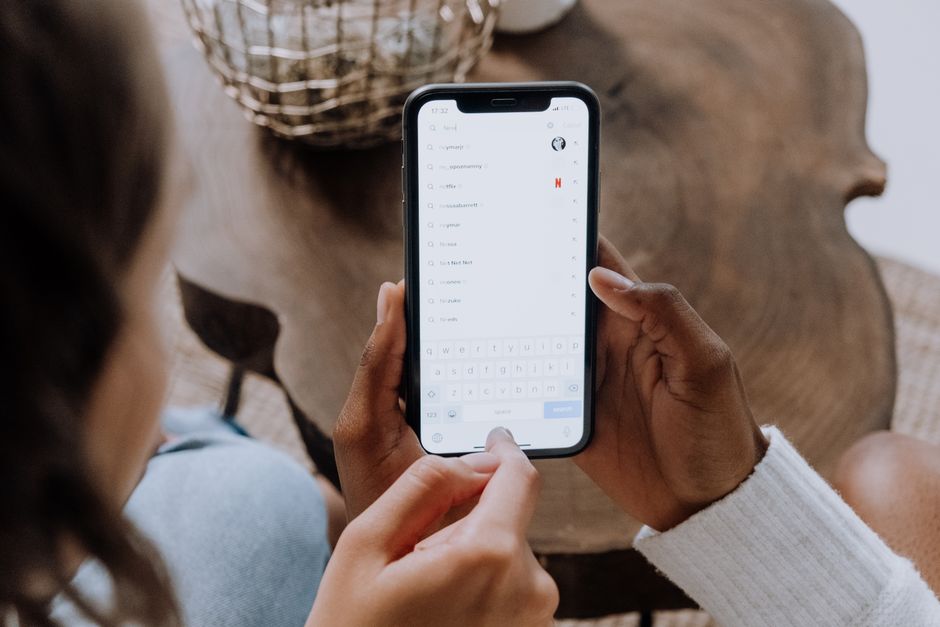
To surface relevant creators, the search algorithm analyzes the relationship between the user search query and your profile’s metadata. This metadata includes your profile bio, video captions, on-screen text, audio transcripts, and critically, both your username and display nickname.
Understanding the strategic balance between a tiktok username vs nickname allows you to capture high-volume search traffic without sacrificing personal branding. Balancing both fields correctly signals immediate relevance to the recommendation engine while building memorability with real viewers.
Keyword Placement in Nicknames vs. Usernames
Your display nickname is the ultimate real estate for niche-specific search engine optimization. Because the nickname field allows up to 30 characters, spaces, and punctuation, you can seamlessly pair your primary brand name with broad industry keywords.
For example, a creator named Alex who focuses on upcycled fashion benefits significantly from setting their nickname as “Alex | Thrift Flips & DIY” while keeping their handle as “@alexcreates”. This structure allows search crawlers to associate the account with queries like “thrift flips” and “DIY fashion” while keeping the primary handle clean.
In contrast, stuffing long keywords directly into your username creates visual clutter and increases the risk of spelling errors during manual searches. Placing your broad keywords inside the display name and keeping your handle focused on brand identity delivers the strongest algorithmic and aesthetic results.
Search Intent and Brand Protection
Securing an exact-match username that directly matches your established brand across other social channels is essential for brand protection. Securing your exact handle prevents digital squatters from capitalizing on your reputation and reassures viewers that your account is the authentic home of your content.
While your handle protects your brand equity, your nickname targets long-tail search intent. Users rarely search for unknown brand names; instead, they search for transactional or informational phrases like “easy dinner recipes” or “indie game dev.”
By using your display name to capture those descriptive queries, your profile appears in search results alongside creators who may have much larger follower counts. This complementary strategy turns your profile header into a passive traffic funnel that works continuously alongside your organic video output.
Step-by-Step Guide: How to Change Your Username and Nickname
Updating your profile identity is straightforward, but the technical pathways and user interfaces differ depending on whether you access the app via a mobile device or a desktop web browser. Understanding these differences ensures your changes apply smoothly without trigger warnings or lost data.
Before initiating any edits, verify that you have not modified your handle within the last 30 days or your nickname within the last 7 days. Exceeding these platform limits will gray out the save button and prevent you from submitting your updates.
It is best to conduct a quick search before changing your handle to ensure your desired handle is free. Preparing alternative spellings in advance helps avoid panic if your primary choice is unavailable during a rebranding process.
Updating Your Information on Mobile (iOS & Android)
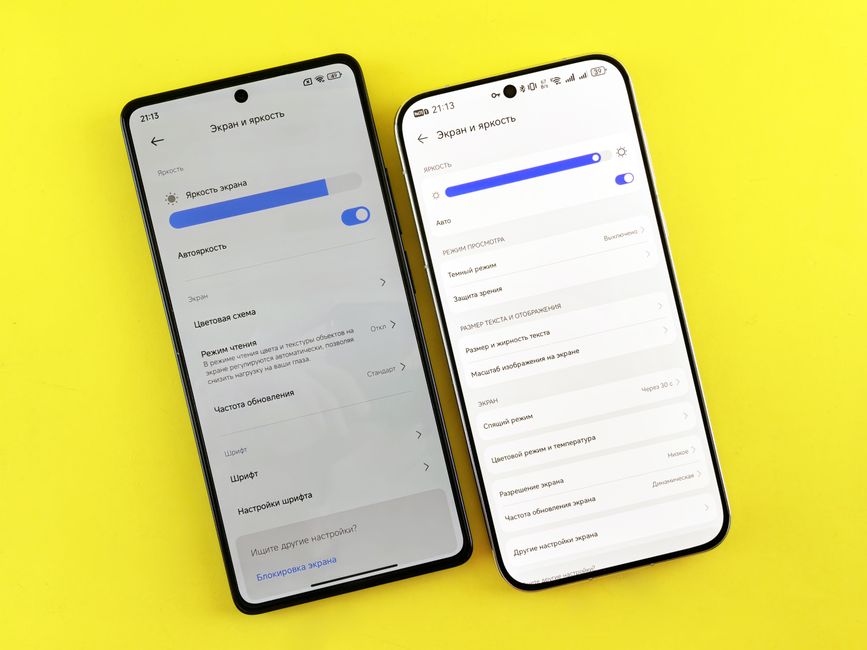
To update your profile credentials on a mobile device, open the TikTok application and navigate to your profile dashboard by tapping the “Profile” icon in the bottom-right corner. From there, select the prominent “Edit Profile” button located directly beneath your follower metrics.
On the profile settings screen, you will see separate fields for “Name” (your nickname) and “Username.” Tap the “Name” field to modify your display name, add emojis, or insert relevant niche keywords, then tap “Save” in the upper-right corner.
To adjust your handle, select the “Username” field, type your new selection, and observe the green checkmark to confirm availability. Once verified, tap “Save” and confirm the pop-up modal acknowledging the 30-day lock-in period to complete the process.
Updating Your Information on Desktop Web
Modifying your account credentials via desktop web requires logging into your account at tiktok.com through an internet browser. Hover over your circular profile avatar in the top-right corner of the interface and select “View Profile” from the dropdown menu.
Click the “Edit Profile” button positioned next to your current handle to launch the desktop configuration overlay. The desktop interface displays clean, individual input boxes for both your display name and handle, alongside your profile bio.
Desktop web allows for easy copy-pasting of complex Unicode characters, special fonts, or keyword lists into your display name field. After typing your adjustments, click the red “Save” button at the bottom of the dialogue box to commit your edits.
What to Do If Your Desired Username Is Taken
If another account already claims your ideal username, strategic modifiers can help preserve your brand identity. You can add localized country codes such as “Alex_UK” or professional designators like “AlexHQ” and “TheAlexStudio” to create a distinct, authoritative handle.
Avoid resorting to random strings of numbers or erratic underscore placements, as these patterns trigger spam filters and dilute brand recall. Clean additions like “Official,” “Real,” or your primary content medium (e.g., “Designs” or “Films”) work best.
If an inactive account holds a handle that infringes on your legally registered trademark, you can submit an official intellectual property report via TikTok’s business support center. Submitting proof of trademark registration often leads to the release and reassignment of squatting handles to the verified legal owner.
120+ Curated TikTok Username & Nickname Ideas by Niche
Selecting the right balance between your handle and display name requires harmonizing technical memorability with creative personal styling. Below is an expansive collection of ready-to-use naming concepts paired with their core meanings and atmospheric aesthetics.
For optimal discoverability, use the punchy names below as your foundation @handle, and append your niche keyword (e.g., “Aura | Morning Routines”) inside your display nickname field.
Aesthetic & Lifestyle Handles
- AuraGlow – luminous atmosphere, clean beauty aesthetic
- VelvetHaze – soft luxury, relaxing daily vlogs
- LoomAndLeaf – artisanal craft, sustainable slow living
- SolsticeEcho – cosmic rhythm, bohemian nature content
- LinenBreeze – minimalist decor, fresh neutral palette
- PetalDrift – delicate botanical, romantic cottagecore style
- SiennaHues – earthy tones, warm terracotta visuals
- IvoryMeadow – pure simplicity, countryside outdoor aesthetic
- GildedDusk – golden hour beauty, twilight lifestyle
- SereneOrbit – calm balance, holistic mindfulness
- MistyAtelier – creative workshop, moody artistic vibes
- KithAndKind – community spirit, cozy hospitality
- EmberStone – rustic warmth, grounding elemental focus
- PureSaffron – vibrant spice, rich culinary living
- SilkCascade – effortless elegance, hair and beauty tips
- OpalWhisper – subtle shimmer, soft luxury curation
- DriftwoodHaven – coastal relaxation, peaceful seaside living
- FernAndFable – lush greenery, whimsical bookish aesthetic
- GoldenChai – aromatic comfort, morning routine inspiration
- StarlitLoom – celestial weaving, dreamy night aesthetics
- VerdantSoul – deep forest nature, herbal plant styling
- QuietPalette – understated design, monochrome studio life
- CedarMist – evergreen freshness, outdoor Pacific vibes
- PastelHaven – gentle pastels, cute stationery and desk setups
- LumiStudio – bright illumination, photography tips
- NordicFlora – Scandinavian minimalism, clean botanical decor
- BarefootHaven – relaxed barefoot living, wanderlust journals
- RosewoodLane – vintage charm, heritage architecture aesthetic
- AmberTide – glowing sea elements, sunset surf vlogs
- SatinMeadow – soft textures, romantic picnic aesthetic
- CloverGleam – lucky finds, uplifting positivity feed
- DappledLight – shadow interplay, cinematic visual art
- HoneyedHearth – cozy domesticity, wholesome home baking
- VaporLoom – ethereal mist, dreamy slow-motion capture
- FableFolk – folklore storytelling, woodland adventure style
- SageSanctuary – cleansing energy, mindful wellness routines
- LapisLoom – deep indigo skies, introspective night thoughts
- PorcelainDay – refined design, clean ceramics and tea
- AlpenglowVibes – pink mountain light, alpine exploration
- BreezeBoutique – breezy fashion, effortless capsule wardrobe
Gaming & Streamer Tags
- VortexPhantom – swirling mystery, competitive stealth gaming
- PixelRift – digital dimension, retro platformer player
- NovaStrike – exploding star power, fast-paced FPS specialist
- CyberWraith – futuristic specter, sci-fi RPG speedrunner
- ApexShadow – pinnacle mastery, high-tier battle royale clips
- ZeroLatency – instant responsiveness, technical PC hardware
- BlazeCircuit – electrical overdrive, high-energy variety streaming
- FrostByteX – chilled precision, tactical strategy content
- IronRonin – honorable wanderer, action melee combat showcase
- LunarFrag – night-shift gamer, precision shooter highlights
- StaticPulse – energetic electric beats, rhythmic gameplay
- EchoSpecter – reverberating ghost, horror game reactions
- HyperGlitch – chaotic excitement, game physics exploits
- QuantumClutch – impossible turnaround wins, esports tournament focus
- NeonReign – cyberpunk dominion, neon city aesthetic gamer
- TitanForge – immense crafting, survival building games
- PhantomDrift – racing game mastery, corner drifting clips
- RogueElement – unpredictable gameplay, stealth rogue mechanics
- OmegaShifter – ultimate form, versatile multi-genre streamer
- DuskSniper – twilight accuracy, long-range tactical highlights
- VoidWalkerX – space-bending survival, deep lore exploration
- ArcaneTrigger – magic meets firepower, fantasy RPG specialist
- VectorViper – geometric speed, aggressive attack styles
- RiftJumper – multidimensional hopping, indie discovery streamer
- SyncMaster – seamless team coordination, co-op multiplayer guide
- PixelKnight – retro chivalry, pixel art game enthusiast
- TurboRelic – nostalgic classic gaming, arcade speedruns
- HavocPilot – aerial dominance, flight simulator and combat
- KrypticVibe – mysterious puzzle solver, mystery ARG streams
- ObsidianClaw – sharp defense, dark fantasy hack-and-slash
- GlitchSamurai – honorable swordsman, cyberpunk combat streams
- PrismPulse – colorful high-energy action, platformer champion
- DeltaPhantom – covert operations, military sim player
- CinderSoul – fiery passion, soulsborne challenge runs
- AeroStriker – soaring maneuverability, dogfight combat pro
- NeuroShock – mind-bending strategy, RTS commander tips
- ZenithGamer – peak performance, top-ranked competitive ladder
- ByteHazard – digital peril, chaotic survival horror
- ValkyrieAim – mythical aerial combat, aggressive flex player
- InfiniteRespawn – relentless persistence, hard-mode playthroughs
Funny & Memetic Names
- CouchCommander – ultimate lazy leader, relatable everyday comedy
- NotMyCircus – chaotic daily fails, workplace humor
- CerealWithoutMilk – dry observational comedy, awkward skits
- ProcrastinatingPro – expert task avoider, relatable student humor
- WiFiStealer – budget living jokes, thrifty millennial memes
- AdultingFailed – hilarious domestic struggles, cooking fails
- SentFromMyMicrowave – absurdity and surreal humor, chaotic editing
- InsertSnackHere – food obsession, unhinged grocery reviews
- SnoozeButtonChamp – morning routine satire, sleepy humor
- OverthinkingDaily – neurotic inner monologues, anxious comedy
- CatSittingOnKeyboard – random tech humor, relatable typing blunders
- ZeroPercentBattery – frantic last-minute lifestyle, relatable chaos
- ProfessionalNapTaker – sleepy comedy, anti-hustle culture satire
- ExpiredCoupon – mild disappointments, deadpan delivery comedy
- RunningOnCaffeine – hyperactive skits, fast-paced work rants
- UnsolicitedAdviceGuy – satirical self-help, overly confident jokes
- LostInTheAisle – shopping confusion, awkward public moments
- BurntToastBandit – breakfast catastrophes, bad home cooking
- AwkwardTurtleMove – socially inept storytelling, cringe comedy
- AccidentalAdult – confused coming-of-age, generational commentary
- SpilledMyChai – messy life stories, chaotic gossip rants
- ProbablySleeping – elusive social battery, introvert humor
- WhoStoleMyPens – office drama, workplace comedy sketches
- UnstableTable – rocky life updates, self-deprecating humor
- WrongDirections – navigation fails, confusing road trip stories
- DietStartsTomorrow – cheat meal lifestyle, humorous foodie skits
- TooManyTabsOpen – scattered brain energy, creative ADHD humor
- SirSnacksALot – medieval snack crusades, satirical food reviews
- SocksWithSandals – unapologetic dad humor, anti-fashion takes
- PlantMurderer – struggling plant parent, funny gardening fails
- DramaLlamaAlert – teasing friend group stories, expressive comedy
- BudgetBillionaire – parody luxury lifestyles, thrifty life hacks
- LowBatteryPanic – tech anxiety memes, dramatic phone skits
- MondayMorningGhost – weekly exhaustion, corporate zombie parodies
- UncookedNoodle – awkward flexible humor, weird talent displays
- OuttaNamesBro – sarcastic unoriginality, parodying TikTok trends
- NoThoughtsHeadEmpty – daydream humor, slow-reaction comedy
- EmotionalBaggageClaim – relationship parody, dramatic storytimes
- LeftOnReadClub – dating horror stories, self-roasting humor
- GymMembershipWasted – fitness avoidance, relatable workout fails
Business, Agency & Personal Brand Handles
- ApexMediaLab – peak content strategy, digital agency growth
- VanguardVisuals – forward-thinking design, high-end video production
- MetricBloom – analytical scaling, performance marketing firm
- BrandCraftStudio – bespoke corporate identities, modern logo design
- NexusCommerce – connected retail solutions, e-commerce growth consulting
- ElevateCopy – high-converting sales messaging, portfolio copywriting
- PulseVentures – modern startup incubators, venture capital insights
- AuraDigitalAgency – modern lifestyle branding, influencer marketing
- StrataConsulting – layered business strategy, enterprise systems
- ZenithPR – summit-level public relations, executive reputation management
- OptimaCreative – refined digital experiences, user interface design
- ForgeMediaHouse – industrial-strength content output, commercial video
- IconicReach – viral outreach campaigns, talent management hub
- CatalystConsults – high-speed corporate change, organizational coaching
- VertexDesignCo – sharp angular aesthetics, modern architectural firm
- KineticCommerce – agile sales funnels, direct-to-consumer strategy
- EchoBranding – resonant corporate storytelling, omni-channel campaigns
- LuminaTalent – shining creative representation, creator talent management
- SynergyScale – collaborative growth, B2B lead generation
- BeaconMediaGroup – guiding industry insights, brand positioning authority
- NovaSphereAgency – expansive modern campaigns, social media management
- ClearPathAdvisory – straightforward fiscal advice, boutique wealth management
- PinnacleMotion – premium 3D motion design, commercial animation
- TrueNorthStrategy – directional business leadership, startup advisory
- SolsticeStudios – creative balance, modern editorial and portrait photography
Matching Duo & Couple Handles
- SunAndMoonlight – complementary light aesthetics, day-and-night vlogging pair
- SaltAndStir / PepperAndPlate – coordinated culinary couple, collaborative recipe creators
- LeftBrainLogic / RightBrainVibe – analytical and creative balance, co-hosted podcast
- RouteFinder / MapHolder – synchronized travel couple, off-the-beaten-path adventures
- PlayerOneReady / PlayerTwoJoined – classic gaming duo, competitive co-op streams
- CoffeeBrewer / PastryBaker – cozy morning aesthetics, cafe-style lifestyle content
- TempoMaker / RhythmKeeper – dynamic musical partnership, collaborative beat production
- CanvasPainter / InkSketcher – mixed-media art duo, split-screen drawing challenges
- TrailRunner / PeakClimber – outdoor adventure team, high-altitude expedition vlogs
- PixelHero / VectorRival – digital design opponents, collaborative animation skits
- BarbellBeast / CardioQueen – complementary fitness couple, couple workout challenges
- UrbanWanderer / CityStroller – synchronized street photography, urban exploration
- AcousticStrum / VocalHarmonies – live music acoustic covers, musical duo balance
- VintageHunter / ThriftStylist – secondhand fashion finders, couple styling try-ons
- StorytellerSam / AnimatorAlex – narrative animation duo, voiceover and illustration duo
- DaytimeHustle / MidnightGrind – productivity and lifestyle partners, work-from-home team
- ChaiLover / MatchaDrinker – morning beverage reviews, relaxing lifestyle vlogs
- PuzzleSolver / ClueSeeker – true crime and mystery discussions, investigative content
- CampfireSpark / WildwoodBlaze – bushcraft and wilderness survival, camping co-hosts
- NorthStarNav / SouthPoleScout – complementary wanderlust travelers, global road trips
Troubleshooting Common Name Changing Issues
Managing the fine line between your TikTok username vs nickname can sometimes lead to unexpected technical friction. While modifying your nickname is usually seamless, adjusting your primary handle interacts directly with TikTok’s routing infrastructure, database tables, and security mechanisms.
Knowing how the platform manages unique identifiers helps prevent sudden lockouts. Below are the most common naming complications creators experience along with solutions to resolve them quickly.
“Username Not Available” Errors and Glitches
Encountering a “Username Not Available” notice when you believe the handle is free is a frequent frustration. This issue usually occurs because usernames are strictly unique across the entire global network, whereas multiple accounts can share the exact same nickname.
If a handle search yields no active profile, the name might belong to a banned account, a shadow-deleted profile, or an account currently in a 30-day deactivation phase. During this holding period, TikTok reserves the handle to protect returning owners.
Another culprit is mobile application cache corruption. If you are certain the handle is unclaimed, open Settings and Privacy, scroll down to Free up space, and clear your application cache before attempting the change again through a desktop browser.
Cooldown Lockouts & Accidental Typos
The operational rules governing cooldowns mark a critical difference between your TikTok username vs nickname. Nicknames operate on a short 7-day cooldown period, while your @username is bound to an unforgiving 30-day lockout window.
A single typing error when entering your new handle locks that spelling to your account for an entire month. TikTok customer support rarely overrides this automated security cooldown, even for honest errors.
If you make a typo, mitigate the damage immediately by updating your display nickname. Use your nickname to display the correct branding and keywords while adding a pinned video or bio disclaimer explaining the handle typo until your 30-day window resets.
Verification Badge Implications
Changing your TikTok display nickname will not endanger your verified status, but changing your verified @username carries serious risks. Modifying an authenticated handle can instantly revoke your verification badge.
TikTok’s verification guidelines state that the blue checkmark confirms a specific, vetted identity tied directly to that exact handle. Altering your username signals a major brand shift, prompting the system to strip the badge and require a manual review or reapplication.
If an authenticated account requires a full corporate rebrand, submit an inquiry through TikTok Business Support or your assigned partner manager before altering the handle in your settings.
Frequently Asked Questions (FAQ)
Understanding how TikTok processes identity updates helps protect your brand discoverability. Here are concise answers to the most common questions regarding handles and display names.
Does changing my TikTok username hurt my views or algorithm reach?
Changing your @username does not reset your recommendation algorithm metrics or hurt baseline video views. The TikTok algorithm serves individual content pieces based on viewer interactions rather than account handle history. However, a sudden handle update can temporarily confuse loyal fans who search for you manually, resulting in a brief dip in direct profile views.
Can two people have the exact same nickname on TikTok?
Yes, multiple accounts can share identical nicknames simultaneously. TikTok display nicknames do not serve as unique database identifiers, meaning thousands of creators can use names like “Sarah | Fitness Coach” without conflicts. In contrast, your @username must remain entirely distinct from every other account on the network.
Will my followers be notified when I change my username or nickname?
No, TikTok does not send push notifications or feed alerts to your followers when you adjust your username or nickname. The change occurs silently in the background. If you are executing a major rebrand, publish an announcement video informing your community so they recognize your content in their following feeds.
Can someone steal my old username after I change it?
Yes. The moment you finalize a change to your @username, your abandoned handle is released into the public registration pool. Automated sniping software and rival accounts can claim that old handle immediately. If you want to protect an old personal or business handle, secure it instantly on a secondary backup device using an alternate email account.
Conclusion: Aligning Your TikTok Brand Identity
Balancing your TikTok username vs nickname is essential for long-term growth and platform discoverability. Your @username serves as your permanent address, securing your custom URL and cementing cross-platform consistency. Meanwhile, your nickname functions as dynamic, searchable real estate built for search engines and descriptive category keywords.
Rather than treating these identity fields as interchangeable duplicates, use them together strategically. Pair a memorable, concise username with an optimized, descriptive display name to maximize search discoverability and turn casual visitors into dedicated followers.
